Free Video Editing Software: 2025 Creator's Guide
Compare top free video editors like DaVinci Resolve and CapCut. No watermarks, 4K support, and pro features—all free in 2026.
Hasan Wazid

Video content dominates every corner of the internet in 2026. From YouTube tutorials and TikTok clips to corporate presentations and wedding films, visual storytelling has become the primary communication medium for crea...
Too long? Ask AI to summarize
Get a quick summary of this article using your favorite AI assistant
Why Free Video Editing Tools Have Reached Professional Standards
Video content dominates every corner of the internet in 2026. From YouTube tutorials and TikTok clips to corporate presentations and wedding films, visual storytelling has become the primary communication medium for creators, businesses, and individuals worldwide.
The remarkable news? Professional-quality video editing no longer requires spending hundreds or thousands of dollars on subscriptions to Adobe Premiere Pro or Final Cut Pro. Free video editing software has undergone a revolutionary transformation over the past few years, now offering features that rival and sometimes exceed what paid suites provide.
Modern free editors deliver no-watermark exports, advanced color grading, multi-track timelines, AI-powered effects, 4K and even 8K support, and cross-platform compatibility. These aren't stripped-down trial versions begging for upgrades—they're fully functional professional tools that have democratized video production for everyone.
This comprehensive guide evaluates the top free video editing contenders based on ease of use, feature sets, performance benchmarks, and real-world suitability across different skill levels. Whether you're a complete beginner crafting your first vlog, an intermediate creator building a YouTube channel, or a professional freelancer delivering client work, these picks will streamline your workflow and elevate your content quality without emptying your wallet.
We tested each editor extensively on Windows, Mac, and Linux systems, processed 4K footage on mid-range hardware, and evaluated them against real-world projects ranging from 30-second social media clips to 20-minute documentary edits. Our goal? Helping you find the perfect match for your creative vision and technical requirements.
What Separates Top-Tier Free Editors from Basic Tools
Gone are the days when "free" meant "barely functional." Leading free video editors in 2026 pack professional features that were exclusive to expensive software just a few years ago. Understanding what makes these tools genuinely competitive helps you make informed decisions.
No Watermarks or Export Limitations
The most critical factor for any serious creator is clean exports. All editors featured in this guide allow unlimited exports without branding watermarks, supporting resolutions from 1080p Full HD up to 4K Ultra HD and beyond. You maintain complete creative control over your final output.
True Cross-Platform Support
Platform flexibility matters more than ever in our multi-device world. Top contenders work seamlessly across Windows, macOS, Linux, web browsers, and mobile devices. Some even offer cloud sync, letting you start editing on your desktop and finish touches on your tablet during your commute.
Shallow to Deep Learning Curves
Different creators need different entry points. Beginners benefit from drag-and-drop interfaces with preset templates and automated effects. Advanced users require fine-grained control over keyframes, color wheels, and audio mixing. The best tools scale with your growing skills rather than forcing you to switch software mid-journey.
Professional Features That Matter
Essential capabilities include multi-track timelines for layering video, audio, and effects; color correction and grading tools for cinematic looks; audio mixing with equalization and noise reduction; transition and effect libraries; text and title animation; green screen compositing; motion tracking; and format flexibility supporting everything from phone footage to cinema cameras.
Performance Optimization
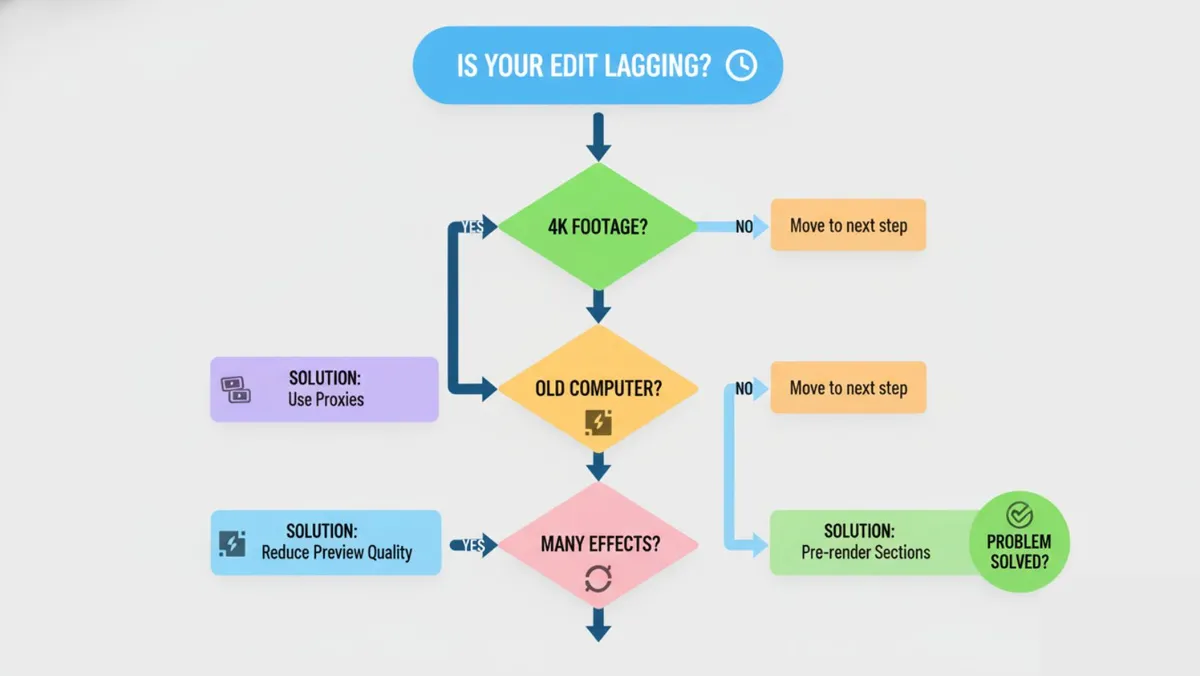
Nothing kills creativity faster than laggy previews and crashed timelines. Top editors leverage hardware acceleration (GPU processing), offer proxy editing workflows for smooth playback of high-resolution footage on modest hardware, and implement smart caching systems. We tested each editor's performance with 4K 60fps footage on both high-end workstations and mid-range laptops to gauge real-world usability.
These tools particularly excel for remote creators and distributed teams who need to integrate video production into broader project management workflows. Pairing video editing with collaborative platforms creates seamless content pipelines.
Learn more about video production workflows
The Complete Free Editor Breakdown
After extensive testing, these five editors rose to the top. Each excels in specific scenarios, and understanding their strengths helps you choose wisely.
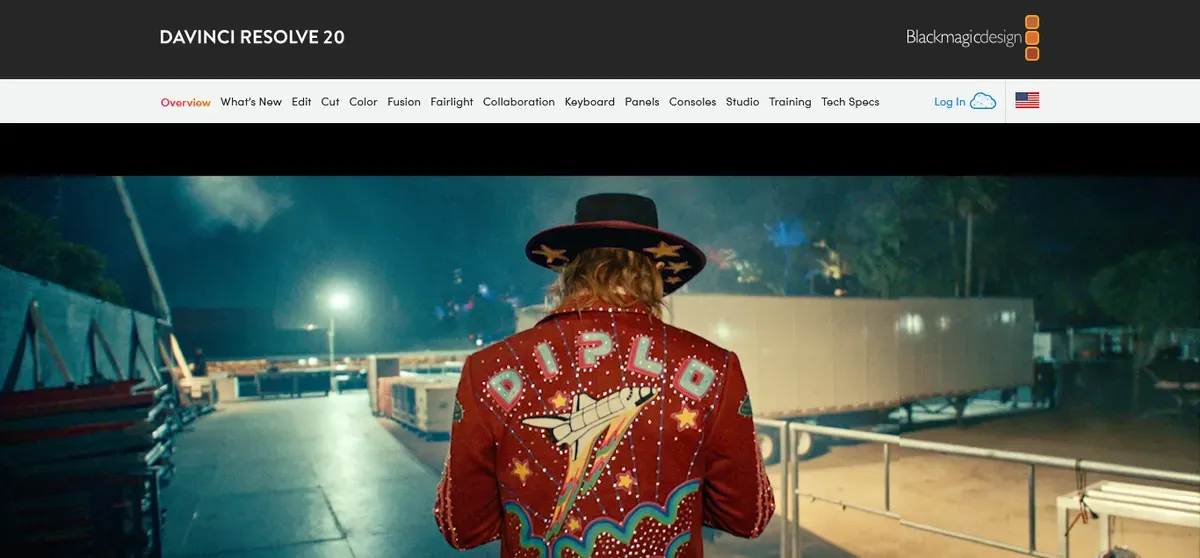
DaVinci Resolve: Hollywood-Grade Color Grading Free
Blackmagic Design's flagship editor offers a stunning proposition—the same software used in major film productions is available completely free with no meaningful limitations. Walking into any professional post-production facility, you'll likely see DaVinci Resolve on every workstation.
Core Strengths:
Industry-standard color grading wheels and curves that colorists dream about dominate the feature set. The Fairlight audio post-production suite handles everything from dialogue cleanup to multi-channel mixing. Fusion's node-based VFX compositing rivals After Effects. Multi-camera editing synchronizes unlimited angles automatically. Motion tracking follows objects or faces through complex movement. The Deliver page outputs to any format imaginable.
The 2026 Advantage:
Resolve's AI neural engine has dramatically improved in recent updates. Object removal, upscaling, and masking that once required manual frame-by-frame work now happen semi-automatically. The free version handles unlimited 4K timeline resolution—only 8K and certain collaborative features require the paid Studio version.
Best For:
YouTubers ready to graduate from basic editors to cinematic quality will find the learning investment worthwhile. Freelancers delivering client work can present studio-quality color grading. Film students learn industry-standard workflows. The learning curve is steep, but Blackmagic provides extensive free training resources.
Potential Drawbacks:
Resource-intensive—requires decent hardware (16GB RAM minimum, dedicated GPU strongly recommended). The interface can feel overwhelming initially with its page-based workflow (Edit, Color, Fairlight, Deliver). Rendering exports can be slower than simpler editors.
Explore Blackmagic's free training hub
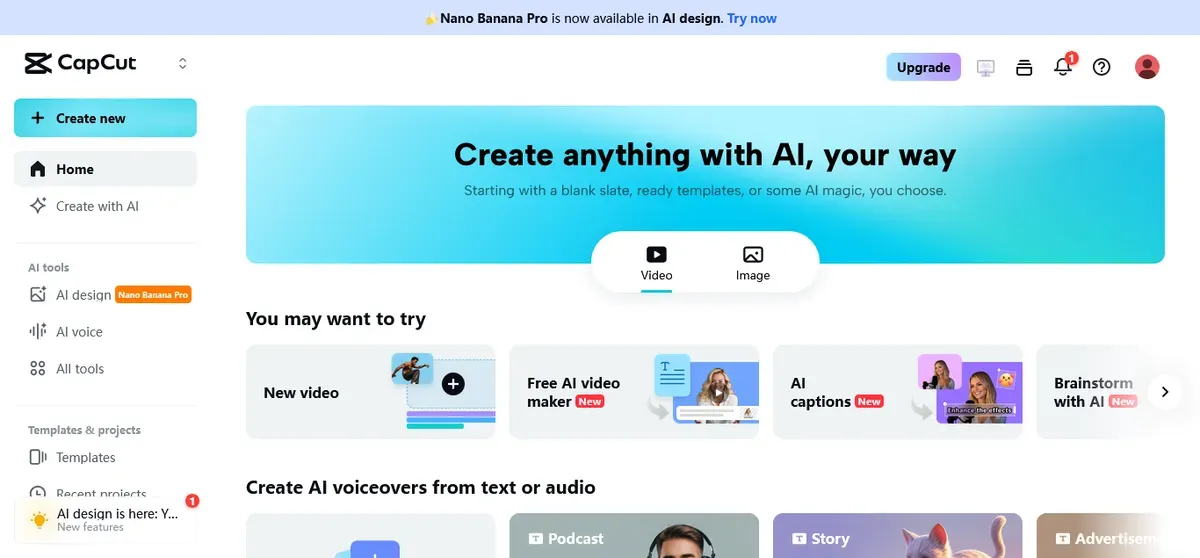
CapCut: Social Media Editing at Lightning Speed
ByteDance's editing companion to TikTok has exploded in popularity precisely because it understands modern content creation. Social media moves fast, and CapCut matches that pace with templates, auto-features, and trend-aware tools.
Core Strengths:
Automatic captions with impressive accuracy save hours of manual typing. The template library offers trend-ready layouts that you can populate with your footage in seconds. Keyframe animation makes simple motion graphics accessible. The built-in stock music and sound effects library keeps you copyright-safe. Mobile-first design with desktop sync means editing on the go is genuinely practical.
The 2026 Advantage:
Recent AI features auto-cut footage to beat-matched music, remove background noise with one click, and suggest composition improvements. The desktop version now matches mobile capabilities while adding more precision controls. Export times are remarkably fast, often real-time or faster.
Best For:
Beginners creating their first videos will feel productive within minutes. Social media managers pumping out daily content appreciate the speed. TikTok, Instagram Reels, and YouTube Shorts creators find perfectly optimized workflows. All exports are watermark-free despite being completely free.
Pro Integration Tip:
Connect CapCut exports to automation tools like Zapier for scheduled uploads across multiple platforms. Streamline your entire content production and distribution pipeline.
Potential Drawbacks:
Less suitable for long-form content beyond 10-15 minutes. Color grading controls are basic compared to Resolve. The simplified interface might feel limiting as your skills advance.
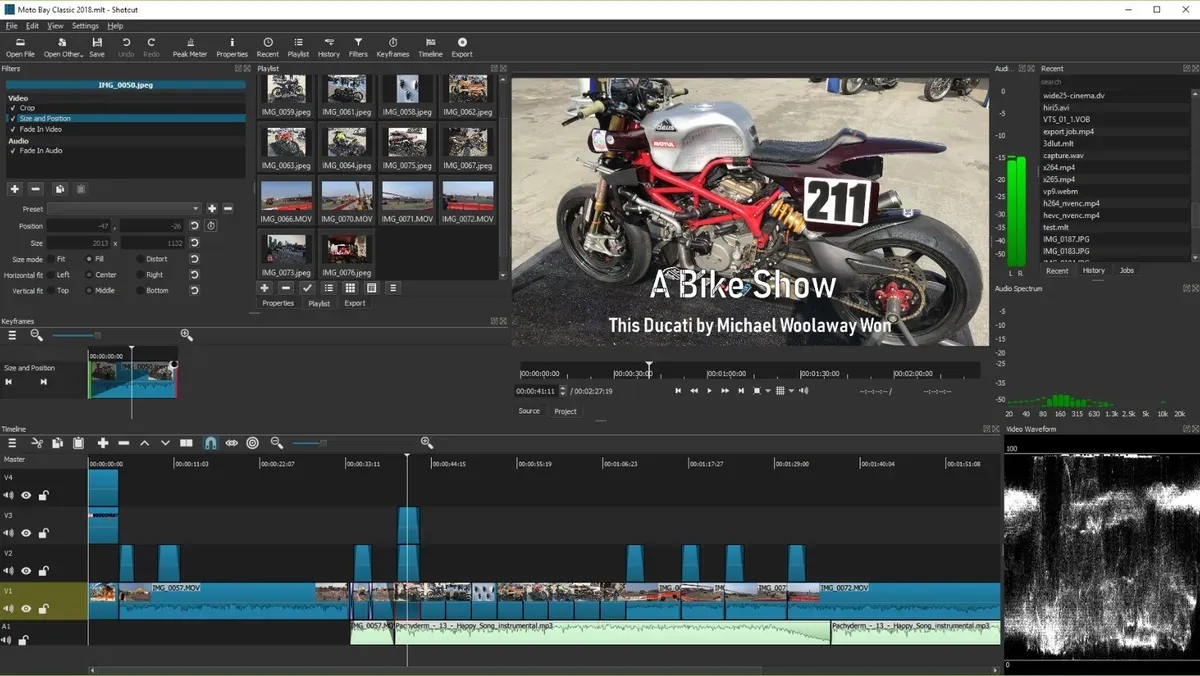
Shotcut: The Open-Source Format Champion
Fully open-source and completely customizable, Shotcut represents the Linux philosophy applied to video editing—if you can imagine it, you can configure it. No company controls your workflow or monitors your usage.
Core Strengths:
Native timeline editing means drag any video file directly onto the timeline without import conversions—supporting virtually every codec and container format known to humans. Modular panel interface lets you arrange your workspace exactly how you prefer. Hardware-accelerated encoding and decoding leverage modern GPUs. Extensive filter library covers basic to advanced effects. 8K timeline capability future-proofs your workflow.
The 2026 Advantage:
Recent versions significantly improved stability and added more intuitive keyboard shortcuts. The active open-source community continuously contributes plugins and improvements. Privacy-conscious creators appreciate that no company tracks your projects or requires accounts.
Best For:
Linux users seeking powerful native editing without Wine or virtual machines. Tinkerers who enjoy customizing every aspect of their tools. Format flexibility matters when you're handling footage from multiple sources—phones, DSLRs, screen captures, and more.
Potential Drawbacks:
Interface aesthetics feel dated compared to modern applications, though functionality remains robust. Steeper learning curve than CapCut or Clipchamp. Less online tutorial content compared to mainstream editors.
Learn more about Shotcut's capabilities
Clipchamp: Microsoft's Web-Based Quick Editor
Acquired by Microsoft and now built into Windows 11, Clipchamp represents the browser-based editing future. Zero installation, instant access, and surprising capability for a web application.
Core Strengths:
Browser-based operation means edit from any computer—library computers, borrowed laptops, anywhere. Built-in screen recording perfect for tutorial creators and software demos. AI-powered background noise removal cleans up audio instantly. Text-to-speech generates voiceovers in multiple languages. Stock asset libraries provide royalty-free footage, music, and effects. Seamless Microsoft Teams integration for corporate environments.
The 2026 Advantage:
Cloud processing handles rendering on Microsoft's servers rather than your machine for basic projects. Auto-save prevents lost work from browser crashes. 4K export capability in the free tier is generous.
Best For:
Quick business videos and presentations benefit from the simple interface and corporate asset libraries. Podcast clips and social media teasers edit rapidly. Students on school computers without software installation permissions. Windows 11 users get a pre-installed option worth trying before downloading anything else.
Potential Drawbacks:
Requires stable internet connection. Complex projects may hit free tier limitations. Less suitable for feature-length editing. Export options are more limited than desktop applications.
Kdenlive: Cross-Platform Open-Source Powerhouse
Another open-source champion, Kdenlive has matured into a remarkably capable editor that punches well above its free price tag. Originally designed for Linux, it now runs beautifully on Windows and Mac as well.
Core Strengths:
Proxy editing generates lightweight versions of 4K footage for smooth timeline scrubbing even on modest hardware—then automatically uses full resolution for export. Customizable effects stacks let you layer corrections and filters with precise control. Comprehensive titling and compositing tools support creative text animations. Multi-track audio mixing with waveform displays. Keyframe animation for effects, position, and opacity.
The 2026 Advantage:
Recent releases dramatically improved performance and stability. The updated interface feels more modern while maintaining power-user efficiency. GPU-accelerated rendering significantly reduces export times.
Best For:
Cross-platform users who work on different operating systems appreciate consistent interface and feature parity. Filmmakers tackling narrative projects find the necessary tools without paid software. Users who want open-source ethics without sacrificing professional features.
Potential Drawbacks:
Interface complexity between Shotcut simplicity and Resolve power. Occasional quirks inherent to open-source development cycles. Smaller user community means fewer tutorials compared to mainstream options.
Explore Kdenlive's documentation
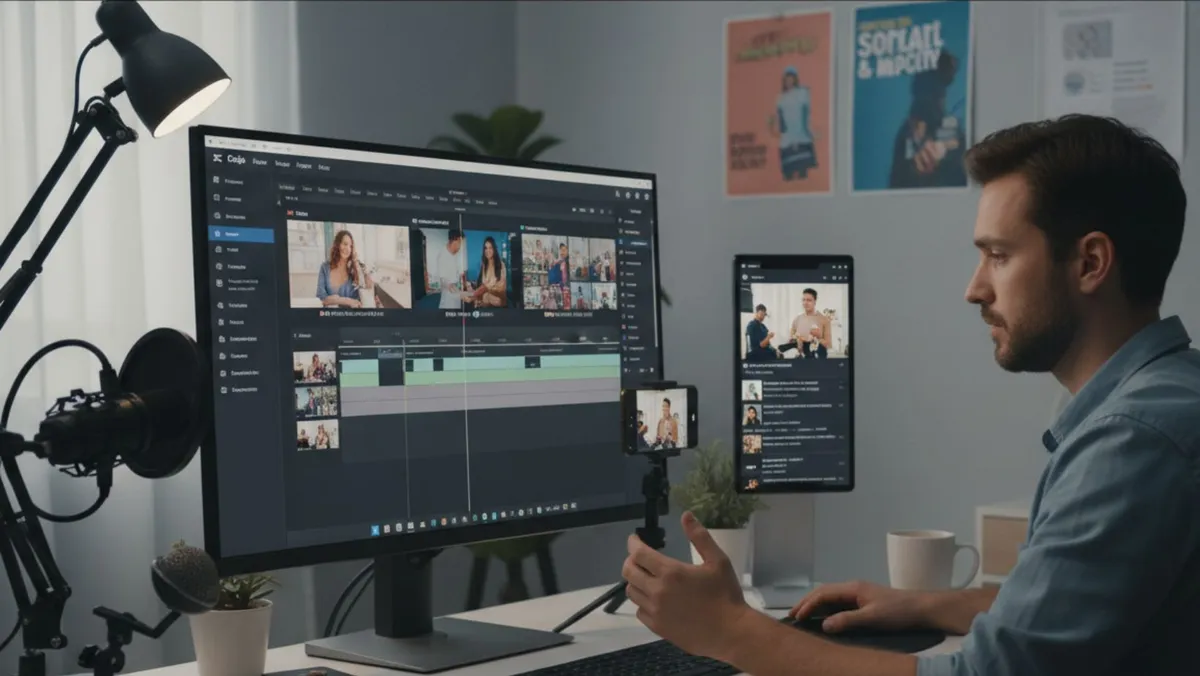
Direct Feature Comparison: Making Your Decision Easier
Understanding how these editors compare side-by-side helps clarify which matches your needs. This breakdown highlights key differentiators beyond basic capabilities.
For Absolute Beginners
CapCut and Clipchamp tie for easiest learning curves. CapCut wins for social media content with templates and trends built in. Clipchamp wins for business content with corporate-friendly stock assets and Teams integration. Both offer drag-and-drop simplicity with instant gratification—import clips, arrange them, add transitions, export in minutes.
For Intermediate Creators
Shotcut and Kdenlive provide room to grow without overwhelming newcomers. Shotcut's format flexibility shines when working with diverse source material. Kdenlive's proxy workflows make 4K editing accessible on mid-range computers. Both support multi-track timelines, keyframe animation, and sufficient effects for most creative visions.
For Advanced Users and Professionals
DaVinci Resolve stands alone in this category. The color grading alone justifies the learning investment for anyone serious about visual quality. Fairlight audio post-production handles professional soundscapes. Fusion compositing creates motion graphics and VFX. The free version includes everything except 8K timelines, collaborative workflows, and certain AI features—limitations most creators never encounter.
Platform Considerations
Windows users can choose freely among all options, with Clipchamp pre-installed as a bonus starting point.
Mac users should focus on DaVinci Resolve (stellar Mac optimization), CapCut (excellent desktop app), or Kdenlive (solid cross-platform support). iMovie remains viable for basics, but the editors here offer significantly more capability.
Linux users thrive with Shotcut, Kdenlive, or DaVinci Resolve—all offering native Linux builds without compromise. This represents a golden age for Linux creative software.
Mobile editors gravitate naturally to CapCut, which pioneered mobile-to-desktop workflows. Start cutting clips during your commute, sync to desktop for final polish, export from either device.
Export and Format Support
All featured editors export standard formats (MP4, MOV) without watermarks or time limits. DaVinci Resolve offers the most extensive format support including professional codecs. Shotcut handles the widest variety of input formats. CapCut optimizes exports for specific social platforms with one-click presets.
Integration with Broader Workflows
Modern content creation rarely happens in isolation. Editors that integrate smoothly with other tools multiply productivity. Connect video production to project management platforms for team coordination. Sync asset libraries with cloud storage. Automate distribution through scheduling tools. The best workflows combine multiple specialized tools rather than searching for one mythical all-in-one solution.
Real-World Application Scenarios for 2026
Matching software to specific use cases helps you start strong rather than fighting inappropriate tools. These scenarios reflect common 2026 creator challenges and the editors best equipped to solve them.
Social Media Content Creators
Challenge: Producing daily or weekly content for Instagram, TikTok, YouTube Shorts, or Facebook Reels requires speed without sacrificing quality. Trends move fast, and yesterday's viral format is today's old news.
Solution: CapCut dominates this space. Auto-captions save enormous time. Template library provides trend-aware starting points. Stock music keeps you copyright-safe. Mobile editing lets you capture and edit in one session. Export directly to social platforms with optimal settings.
Workflow Tip: Batch-film content, edit multiple pieces in one session, schedule uploads through management tools. Integrate with productivity apps designed for remote workers to maintain consistent posting schedules.
YouTube Educators and Tutorial Creators
Challenge: Screen recordings, webcam footage, B-roll, graphics, and voiceovers need seamless integration. Tutorials range from 10-30 minutes requiring stable performance and clear audio.
Solution: Clipchamp for beginners handles screen recording and basic editing in one package. DaVinci Resolve for those wanting professional polish offers comprehensive audio cleanup and color consistency across mixed source footage. Kdenlive provides middle-ground power without Resolve's complexity.
Workflow Tip: Record screen and webcam simultaneously, edit on multi-track timeline, use waveform displays to sync audio precisely. Add chapter markers during editing to ease YouTube timestamp creation.
Freelance Video Editors and Client Work
Challenge: Client expectations demand professional results. Color consistency, audio quality, and format flexibility are non-negotiable. Render times directly impact billable hours.
Solution: DaVinci Resolve exclusively. Clients recognize the name and trust the output quality. The free version handles virtually all client projects unless you're specifically asked for 8K or multi-user collaboration. Scopes and monitoring ensure broadcast-safe output. Extensive format support handles client-provided footage from any source.
Business Tip: Position yourself as a "DaVinci Resolve editor" rather than "free software user"—the tool's reputation enhances your professionalism.
Corporate Communications and Training Videos
Challenge: Business content requires clean aesthetics, corporate branding consistency, and quick turnaround. Integration with existing Microsoft or Google workflows simplifies approvals.
Solution: Clipchamp for Microsoft ecosystem companies (Teams integration, OneDrive storage, organizational branding tools). For organizations on other platforms, CapCut or Shotcut depending on complexity needs.
Workflow Tip: Create branded templates once, reuse across projects. Maintain consistent color schemes, fonts, and intro/outro sequences. Store templates in shared drives for team access.
Independent Filmmakers and Narrative Projects
Challenge: Short films, documentaries, and narrative content demand sophisticated color grading, precise audio mixing, and stable performance with feature-length timelines.
Solution: DaVinci Resolve handles cinematic workflows that rival Hollywood productions. The Edit page manages narrative structure, Color page creates consistent looks, Fairlight page mixes complex soundscapes. Alternatively, Kdenlive provides impressive capability for filmmakers on open-source principles.
Production Tip: Shoot with color grading in mind—log profiles give maximum flexibility. Edit for story first, then enhance with technical polish.
Podcast Video Clips and Audiograms
Challenge: Extract highlight clips from long-form audio/video for social promotion. Audio waveform animations attract attention. Quick turnaround between recording and posting maximizes relevance.
Solution: Clipchamp's built-in screen recording captures streaming platforms. CapCut's auto-captions transcribe dialogue. Both export vertical video optimized for mobile viewing. For more sophisticated multi-camera podcast productions, Resolve's sync features excel.
Distribution Tip: Create 3-5 short clips per episode, stagger release throughout the week, drive traffic back to full episodes.
Setup, Optimization, and Best Practices
Proper setup prevents frustration and maximizes performance regardless of which editor you choose. These universal principles apply across all platforms.
Hardware Requirements Reality Check
Minimum Viable Setup: 8GB RAM handles 1080p editing with patience. Integrated graphics work but expect longer render times. Standard HDD storage functions but feels sluggish compared to SSDs.
Comfortable Setup: 16GB RAM enables smooth 4K editing with modest multi-tasking. Dedicated GPU (even modest ones like GTX 1650 or RX 5500) dramatically improves timeline performance and render speeds. SSD storage for project files and cache makes the experience responsive.
Professional Setup: 32GB+ RAM supports complex timelines with dozens of layers and effects without slowdown. High-end GPU (RTX 3060 or better) enables real-time playback of color-graded 4K footage. NVMe SSD storage eliminates loading and save delays entirely.
Reality? Most creators start with minimum setups and upgrade as needs grow. Proxy workflows (available in Kdenlive, Shotcut, and Resolve) bridge the gap between modest hardware and high-resolution ambitions.
Essential Keyboard Shortcuts
Learning universal shortcuts accelerates editing across any software:
Spacebar = Play/Pause (universal) J/K/L = Rewind/Pause/Fast Forward (industry standard) I/O = Mark In/Out points for clip sections C = Razor/Cut tool (splits clips) V = Selection tool (default cursor) Ctrl/Cmd + Z = Undo (save yourself repeatedly) Ctrl/Cmd + S = Save (do it obsessively)
Mastering these ten shortcuts alone triples your editing speed. Software-specific shortcuts come with experience, but these work almost everywhere.
Project Organization Prevents Chaos
Folder Structure Template:
Project_Name/
├── 01_Raw_Footage/
├── 02_Audio/
│   ├── Music/
│   └── SFX/
├── 03_Graphics/
├── 04_Project_Files/
├── 05_Exports/
└── 06_Archive/
Consistent naming conventions prevent "which file was that again?" moments. Date-based or descriptive names both work—pick one system and stick with it religiously.
Backup Strategies
3-2-1 Rule: Three copies of important files, on two different media types, with one off-site.
Practical Implementation: Original files on main drive, second copy on external hard drive, third copy in cloud storage (Google Drive, Dropbox, OneDrive). Raw footage is irreplaceable—protect it accordingly.
Project Files: Enable auto-save in your editor. Manually save before complex operations. Export project files periodically, not just finished videos.
Leveraging AI and Automation in 2026
CapCut's Auto-Captions: Turn on automatic transcription, review for accuracy, adjust styling. Saves hours compared to manual typing.
Resolve's Magic Mask: Object removal that once required After Effects now happens in the Color page. Still requires touch-up, but dramatically reduces tedious work.
Clipchamp's Noise Reduction: One-click audio cleanup handles most environmental noise. Fine-tuning in Audacity or Audition handles extreme cases.
Template Usage: Don't reinvent wheels. Use templates for repetitive content (intros, outros, lower-thirds), customize colors and text, maintain brand consistency effortlessly.
Critical Mistakes That Sabotage Projects
Learning from common pitfalls saves hours of frustration and potential data loss. Avoid these traps.
Ignoring Proxy Workflows for 4K Footage
The Problem: Dragging 4K files directly onto timelines creates massive computational overhead. Playback stutters, edits lag, frustration mounts.
The Solution: Generate proxy files—lower resolution versions for editing that automatically get replaced with full resolution on export. Kdenlive and Shotcut make this simple. Resolve offers automatic proxy generation. The few minutes spent creating proxies save hours of choppy editing.
Overloading Timelines with Excessive Tracks
The Problem: Starting editors often create separate tracks for every element—ten video tracks, fifteen audio tracks. This creates visual confusion and performance issues.
The Solution: Limit yourself to 5-7 tracks maximum. Use nested sequences or compound clips to group related elements. Merge clips when layering is no longer needed. Cleaner timelines equal clearer thinking.
Neglecting Audio Quality
The Problem: Focusing exclusively on visuals while tolerating poor audio. Audiences forgive mediocre video but abandon content with bad sound.
The Solution: Invest editing time in audio—remove background noise, balance levels, add music strategically. Most free editors include basic audio tools sufficient for clean results. For advanced needs, free Audacity handles detailed sound design.
Wrong Export Settings Waste Time
The Problem: Exporting 4K 60fps for a 1080p Instagram Reel creates enormous files that upload slowly. Conversely, exporting 720p for YouTube reduces quality unnecessarily.
The Solution: Match export settings to destination platforms. TikTok/Reels = 1080x1920 vertical, 30fps. YouTube = 1920x1080 or 3840x2160, match source framerate. Learn platform specifications once, create export presets, never think about it again.
Tool-Hopping Instead of Mastering
The Problem: Constantly switching between editors chasing "the best" tool prevents developing real expertise in any single platform.
The Solution: Choose one editor, commit for at least three months, push through the learning curve. CapCut for speed, Resolve for power—both are valid choices. Mastery of one tool outperforms superficial knowledge of five tools every time.
Frequently Asked Questions
Do these free editors actually export without watermarks?
Yes, absolutely. Every editor featured in this guide exports clean videos without branding watermarks and without time or resolution limits. This isn't trial software begging for upgrades—these are genuinely free tools. DaVinci Resolve, CapCut, Shotcut, Clipchamp, and Kdenlive all export unlimited videos at up to 4K resolution (or higher in some cases) completely free forever.
Which editor is genuinely best for complete beginners?
CapCut wins for social media beginners—templates, auto-features, and mobile familiarity create instant productivity. Clipchamp wins for business content beginners—pre-installed on Windows 11, simple interface, corporate-friendly assets. Both let you create polished videos within your first hour. For those willing to invest a bit more learning time, Shotcut offers great power without overwhelming complexity.
Can I professionally edit 4K footage without paying for software?
Absolutely. DaVinci Resolve handles 4K timelines without limitation in the free version—the same 4K that Hollywood productions use. Shotcut supports 8K timelines if you're future-proofing. The bottleneck is your computer hardware, not software cost. A decent GPU and 16GB RAM handle 4K smoothly in any of these editors.
What about Mac users—which editor works best?
DaVinci Resolve offers exceptional Mac optimization and fully utilizes Apple Silicon processors. CapCut provides a native Mac desktop app with the same features as Windows. Kdenlive runs well on macOS though installation is slightly more involved. Avoid Clipchamp on Mac—it's browser-based so technically works, but the experience is Windows-focused. iMovie remains viable for basics, but graduating to Resolve unlocks professional capabilities.
Is mobile video editing actually viable in 2026?
Mobile editing has genuinely matured, particularly CapCut. Phones now pack sufficient processing power for real editing, not just simple cuts. Shoot, edit, and export entirely from your phone for social content. Desktop still wins for complex projects, but mobile handles surprising sophistication—multi-track timelines, keyframe animation, color adjustments, all touch-optimized. The best workflow? Start mobile for rough cuts during downtime, refine on desktop for final polish.
How do I choose between so many good options?
Match the tool to your primary content type and skill level. Social media creator? CapCut. Filmmaker or YouTuber seeking professional results? DaVinci Resolve. Linux user or format flexibility needs? Shotcut. Quick business videos? Clipchamp. Still undecided? Start with CapCut for ease or Resolve for power—you can't go wrong with either. Avoid analysis paralysis—pick one, commit for a month, evaluate honestly.
Are there hidden costs or upgrade pressures?
DaVinci Resolve offers a paid Studio version ($295 one-time, not subscription) that adds 8K support, certain AI features, and collaborative workflows. The vast majority of users never need these. CapCut has a "Pro" subscription for additional stock assets and effects—completely optional, free version is comprehensive. Shotcut and Kdenlive are pure open-source with zero commercial pressure. Clipchamp has premium tiers but free tier handles most needs. Bottom line: you can use any of these editors professionally without spending money.
Can I use these editors for client work or commercial projects?
Yes, all featured editors allow commercial use without licensing fees. DaVinci Resolve explicitly permits commercial work in the free version. Open-source licenses (Shotcut, Kdenlive) include commercial rights. CapCut and Clipchamp terms of service allow business use. Your work is yours—create, sell, profit freely. The only restriction? Don't resell the software itself.
What about tech support when things go wrong?
Free doesn't mean alone. DaVinci Resolve has extensive official documentation and Blackmagic's training resources. CapCut has active communities on Reddit and Discord. Open-source editors (Shotcut, Kdenlive) have dedicated forums and documentation wikis. YouTube hosts thousands of tutorial videos for every editor. For complex issues, editing communities on Reddit generally respond helpfully within hours. Paid support isn't available, but community knowledge runs deep.
Building Your Complete Creative Toolkit
Video editing rarely exists in isolation. Modern content creation involves multiple tools working together seamlessly. Integrating your chosen editor into a broader toolkit multiplies productivity and creative possibilities.
Complementary Free Tools
Audacity (audio editing) cleans up dialogue, removes noise, and creates podcast-quality sound before importing into your video editor. Perfect companion for interview content or voiceover work.
GIMP (image editing) creates custom thumbnails, graphics, and overlays. While video editors include basic text tools, dedicated image software offers more creative control.
OBS Studio (screen recording) captures tutorials, gameplay, and software demonstrations in high quality. Records locally or streams directly to platforms.
Handbrake (video converter) transcodes footage between formats, compresses large files, and prepares media for editing without quality loss.
Cloud Storage Integration
Modern editing workflows span multiple devices and locations. Cloud storage bridges the gap between desktop power and mobile convenience. Store raw footage in Google Drive, Dropbox, or OneDrive. Edit project files sync automatically. Export finished videos directly to cloud folders for client access or team review. This approach particularly benefits remote teams coordinating through project management platforms
Automation and Batch Processing
Repetitive tasks destroy creative momentum. Automate wherever possible. Use export presets for platform-specific outputs. Create templates for recurring content (weekly vlogs, episodic series). Batch-rename files with tools like Bulk Rename Utility. Schedule social media uploads through management platforms rather than manual posting. The time saved on administrative work multiplies time available for creative decisions.
Continuous Learning Resources
Video editing skills compound over time. Dedicate time to learning new techniques regularly. YouTube channels like Casey Faris (Resolve tutorials) and Justin Odisho (CapCut guides) offer free education. Official documentation from software developers provides comprehensive feature explanations. Online communities (Reddit's r/VideoEditing, r/davinciresolve, r/VideoEditing) answer questions and share techniques. The investment in learning pays perpetual dividends.
Explore advanced editing techniques
The 2026 Video Editing Landscape
Technology continues evolving rapidly, and video editing follows suit. Understanding emerging trends helps future-proof your skill development and tool choices.
AI Integration Deepens
Artificial intelligence increasingly handles tedious tasks—auto-captioning, object removal, color matching, audio cleanup, and even rough cuts synchronized to music beats. Current tools offer previews of coming capabilities. The editors most aggressively integrating AI (Resolve's neural engine, CapCut's auto-features) position themselves advantageously for the next generation of editing.
Mobile-First Creation Grows
Phones continue improving as primary cameras and editing devices. What started as "good enough for social" increasingly challenges desktop quality. CapCut leads this transition with genuinely professional mobile capabilities. Future editors will likely prioritize mobile experience equal to or above desktop, reflecting how many creators actually work.
Browser-Based Tools Mature
Clipchamp represents the vanguard of browser-based editing. As internet speeds increase and web technologies advance, expect more sophisticated cloud editing platforms. The advantage? Edit from any device without installation, collaborate in real-time like Google Docs, and leverage cloud processing power. The trade-off? Requiring stable internet and accepting some privacy considerations.
Open-Source Renaissance Continues
Projects like Shotcut and Kdenlive demonstrate that community-driven development produces genuinely competitive software. Privacy-conscious creators and organizations increasingly prefer open-source tools free from corporate data collection. This trend shows no signs of slowing—expect continued improvement in open-source creative software.
Format Wars Stabilize
Years of competing codecs (H.264, H.265, VP9, AV1) are settling into practical standards. Most editors now handle all common formats transparently. This means less time fighting technical issues and more time creating. The remaining challenges? Specialized cinema camera formats and emerging VR/360 video workflows.
Conclusion: Free Tools, Professional Results
The democratization of video editing represents one of the most significant creative revolutions of the 2020s. Professional-quality tools that once cost thousands of dollars now sit freely available to anyone with a computer and internet connection. This shift has enabled millions of creators, educators, businesses, and storytellers to share their visions without financial barriers.
DaVinci Resolve delivers Hollywood-grade color grading and audio post-production completely free. CapCut brings social media editing down to minutes instead of hours with intelligent automation. Shotcut and Kdenlive provide open-source alternatives that respect your privacy and freedom while rivaling paid suites. Clipchamp offers instant browser-based editing without installation friction.
The question isn't whether you can afford professional video editing—you can, for free. The question is whether you'll invest the time to learn these powerful tools and develop your creative voice. Technical barriers have fallen. The remaining barrier is your willingness to start, practice, struggle through the learning curve, and emerge with valuable skills.
Your perfect editor awaits. Download it, experiment fearlessly, create iteratively, and improve continuously. The content you'll create a year from now will amaze your present self. Start editing today—your stories deserve to be told, and the tools to tell them professionally are finally, completely, permanently free.
Frequently Asked Questions
DaVinci Resolve handles 4K timelines without limitation in the free version—the same 4K that Hollywood productions use.
Never Miss an Update
Join thousands of readers getting the latest insights on technology, business, and digital marketing.