Master Project Management Tools in 2025
Learn effective project management strategies for Asana, Trello, and Monday.com. Discover board setups, automation tips, and communication rules that boost team productivity in 2026.
Hasan Wazid

Purchasing a subscription to Asana , Trello ,or ClickUp is the easy part. Getting yourself and your team to actually use these tools effectively is where most organizations struggle. The result? "Zombie Boards" where tas...
Too long? Ask AI to summarize
Get a quick summary of this article using your favorite AI assistant
Why Most Teams Fail at Project Management
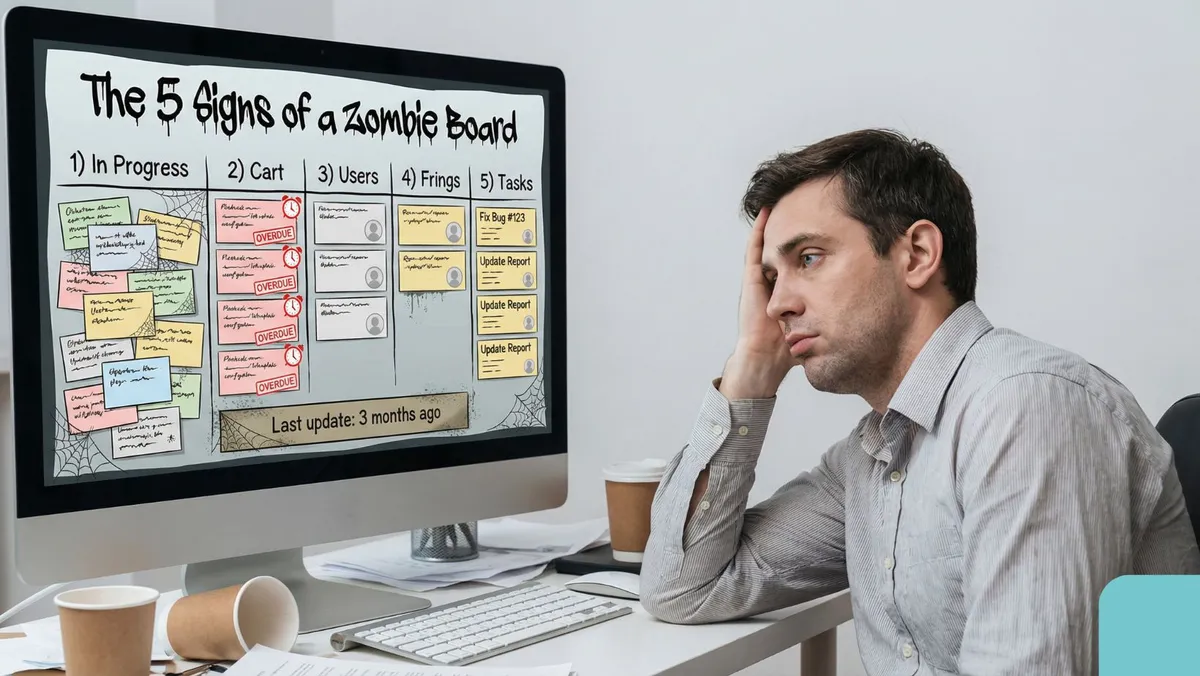
Purchasing a subscription to Asana, Trello,or ClickUp is the easy part. Getting yourself and your team to actually use these tools effectively is where most organizations struggle. The result? "Zombie Boards" where tasks go to die.
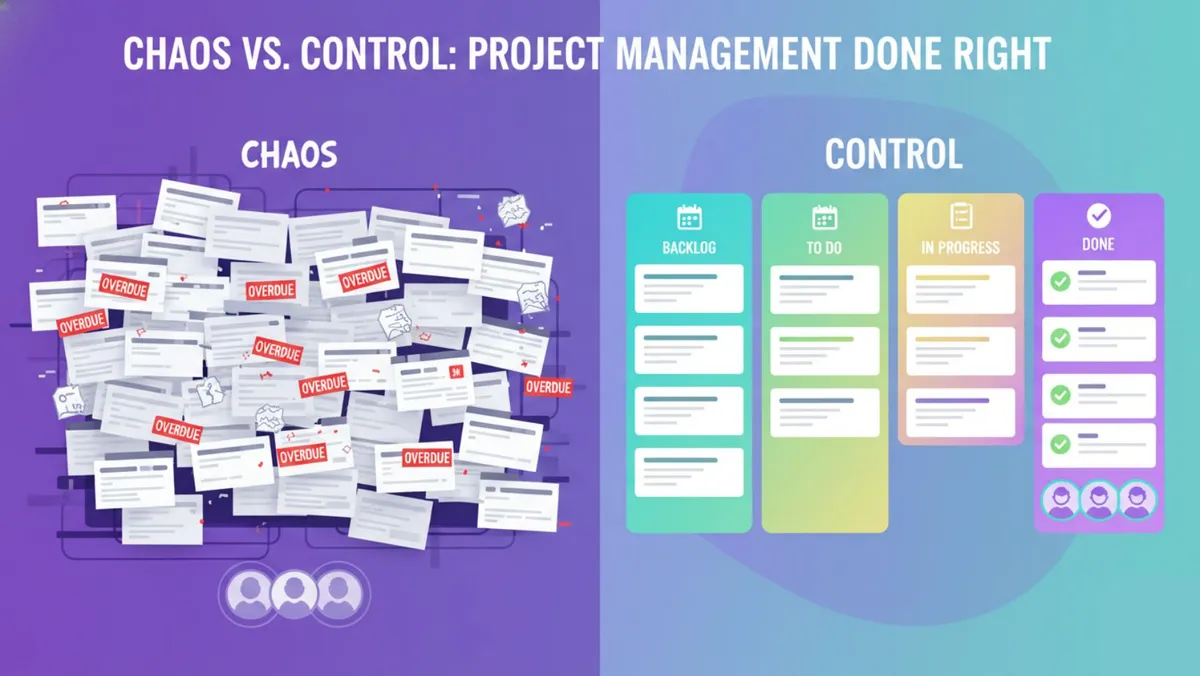
Picture this: your "In Progress" column has 50 items, half the deadlines passed three months ago, and nobody knows who's doing what. This isn't a software problem; it's a process problem.
Project management tools aren't magic wands. They're containers for your workflow. If your workflow is chaotic, the tool will just digitize that chaos. This comprehensive guide walks you through structuring, maintaining, and mastering these platforms to ensure peak efficiency for modern teams.
Choosing the Right Project Management Methodology
Before creating a single account or board, decide how you want to view your work. Most modern tools allow toggling between these views, but picking a primary methodology is crucial for mental clarity.
The Kanban Method: Visual Workflow
Originating from Japanese manufacturing, Kanban visualizes work as it moves through stages.
Best For: Continuous workflows like content creation, bug tracking, and customer support.
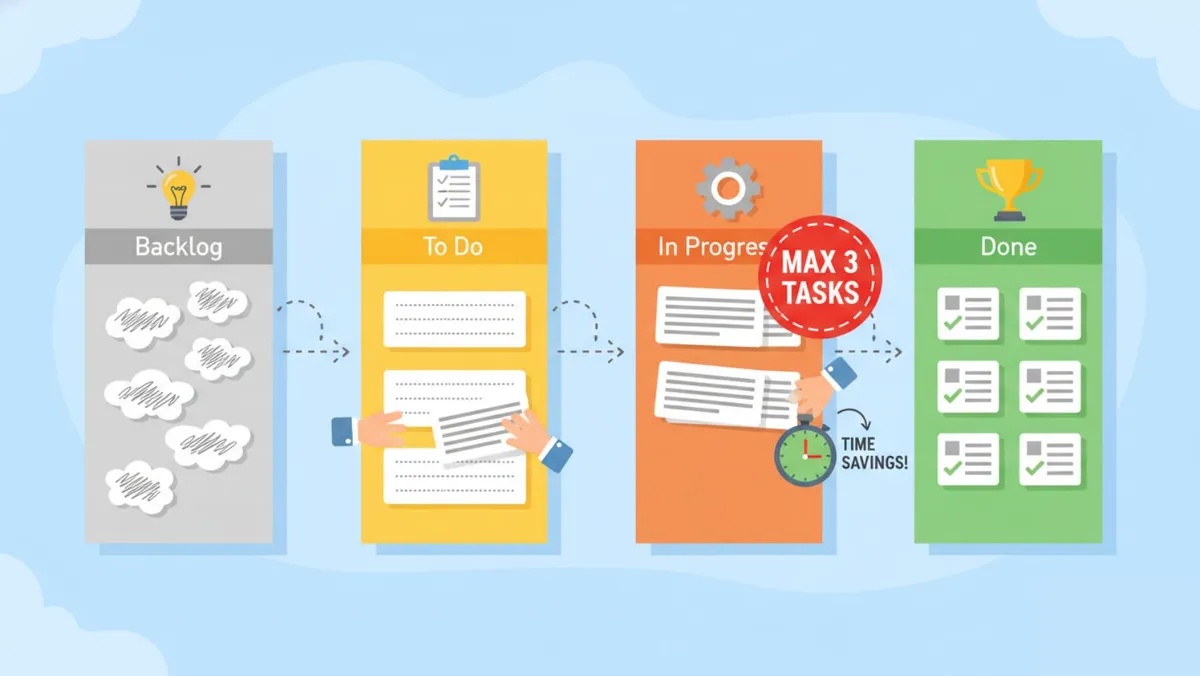
Structure: Columns typically labeled "Backlog," "To Do," "In Progress," and "Done."
The Golden Rule: Limit "Work In Progress" (WIP). Having 10 items in the "In Progress" column means you're multitasking and stalling, not actually working efficiently.
Learn more about Kanban methodology
The Waterfall/Gantt Method: Timeline Planning
Sequential method where Task B cannot start until Task A finishes.
Best For: Events, product launches, or construction projects with hard deadlines.
The Benefit: Visually see how a delay in step one pushes back the final delivery date, helping with realistic planning.
The List Method: Simple Checklists
A linear list of tasks, often grouped by priority or department.
Best For: Daily personal to-do lists or very small teams who just need to know "what's next."
Setting Up Your Perfect Dashboard Architecture
A disorganized dashboard leads to anxiety and wasted time. Whether you're using Trello, Asana, or ClickUp, the architecture of your project board is critical. Here's a universal structure that works for almost any industry in 2026.
The "Inbox" or "Backlog"
This serves as the dumping ground for ideas. Nothing here is active yet—it's a holding pen for tasks that might happen in the future.
Pro Tip: Review this monthly and delete items you'll never do. Clutter kills clarity.
The "This Week" Column
Move items from the Backlog here at the start of each week. This creates a finite list of goals.
Psychology Insight: Seeing a smaller, achievable list boosts motivation compared to staring at a mountain of 100 tasks. For more insights on managing remote workflows effectively, check out our guide on Best Productivity Apps for Remote Workers.
The "Doing" (Active Work) Column
Critical Rule: A single person should never have more than 2–3 items here. You cannot actively write code, design graphics, and answer emails simultaneously. Keep this column honest.
The "Waiting On" / "Blocked" Column
Often missed but vital. When you can't finish a task because you're waiting for a client reply or software update, move it here. This signals to the team that the bottleneck is external, not internal.
The "Done" Column
Your trophy room. Never delete completed tasks immediately; move them here. Reviewing the "Done" column at week's end provides a dopamine hit and sense of accomplishment.
Anatomy of the Perfect Task Card
A task named "Update Website" is useless—too vague. To use tools effectively, every task card must contain specific elements.
1. Action-Oriented Titles
Start with a verb. Instead of "Report," write "Generate Q3 Financial Report PDF." Instead of "Blog," write "Draft Article on Productivity."
2. Context is King
In the description section, include every link, password, and file needed to finish the job.
Example: If the task is to edit a video, link the raw footage folder and script inside the card.
Why? This prevents the dreaded "Hey, where is that file?" message on Slack, keeping focus intact. For more on selecting the right tools for asset creation, see our guide on Top Free Video Editing Software Compared.
3. The "Definition of Done"
How does the assignee know they're finished? Bullet point the criteria.
Example: "Task is done when: 1) Draft is written, 2) Spell check is run, 3) Image is attached."
Communication Protocols That Actually Work
The biggest mistake teams make is splitting conversation between email, Slack, and the project tool. This fragments information and wastes time.
The "In-Card" Conversation Rule
Have a question about a specific task? Ask it in the comments section of that task card.
Benefit: Six months from now, when you wonder why a decision was made, the entire conversation history is attached to the task itself—not buried in an email chain from last year.
Using @Mentions Properly
Don't spam the whole team. Only tag (@name) the specific people who need to take action.
Notification Hygiene: Respect your colleagues' focus. If it's not urgent, don't tag them; just leave the comment. They'll see it when they check their inbox.
Leveraging Automations and AI in 2026
Manual administrative work should be obsolete as we approach 2026. Modern tools offer powerful automations ("If This, Then That") that you must leverage.
Auto-Assignment
Set a rule: "If a task is moved to the 'Design' column, automatically assign it to Sarah." This eliminates the step of manually handing off work.
Recurring Tasks
Never manually create a "Weekly Report" task again. Set it to regenerate every Monday morning automatically.
AI Summaries
New features in tools like Monday.com and ClickUp use AI to summarize long comment threads. Return from vacation to a task with 50 comments? Hit the "AI Summary" button to get bullet points in seconds.
The Weekly Maintenance Ritual
A project management system is like a garden—if you don't tend to it, weeds (irrelevant tasks) will grow and choke your productivity.
The Friday Clean-Up Process:
Clear the "Done" column: Archive tasks to keep the board clean and focused.
Check the "Waiting" column: Follow up on stalled items. Has the client responded yet?
Update Deadlines: If a date was missed, acknowledge it and set a new realistic date. Red text (overdue) causes subconscious stress; keep dates green (future) or realistic.
Reprioritize: Is that task from two months ago still relevant? If not, delete it without guilt.
Personal vs. Team Implementation
How you use these tools changes dramatically depending on whether you're a solo freelancer or managing a team.
For Freelancers
Your goal is clarity. You're both boss and employee. Use the tool to separate "Planning Mode" (Monday morning) from "Execution Mode" (Tuesday–Friday). This prevents questioning what you should be doing during work hours.
Recommendation: For solo workers, simple tools often beat complex ones. If you're unsure which tool fits your solo lifestyle, refer back to our comparison in Best Productivity Apps for Remote Workers.
For Teams
Your goal is transparency. The tool acts as the "Source of Truth." It eliminates the need for status update meetings. If a manager wants to know project status, they should look at the board, not interrupt the worker.
Integrating with Your Existing Tech Stack
Your project management tool shouldn't exist in isolation. It needs to communicate with your other software to create a seamless workflow.
Calendar Sync: Sync task due dates to Google Calendar so you can visualize your workload alongside meetings.
Email Integration: Most tools allow you to forward an email to a specific address (like board@trello.com) to instantly turn that email into a task card.
File Storage: Ensure your Google Drive or Dropbox is connected so you can attach files without leaving the tab.
Critical Mistakes to Avoid
Even with perfect setup, bad habits can sabotage your system. Avoid these common pitfalls:
Micro-Tasking
Creating a card for "Reply to Email" or "Drink Water." Only create cards for tasks that take longer than 15 minutes.
No Assignee
A task with no owner will never get done. Every card must have one face attached to it—accountability matters.
Due Date Fallacy
Setting every task to "Urgent" or "Due Today." If everything is a priority, nothing is a priority.
Ignoring the Tool
If the boss sends tasks via WhatsApp while the team uses Asana, the system fails. Everyone must commit to the platform.
Over-Customization
Spending more time coloring tags and building complex templates than actually doing the work. Keep it simple and functional.
Frequently Asked Questions
Q: Which project management tool is best for free?
For 2026, Trello and Asana still offer the best free tiers. Trello excels at visual simplicity, while Asana is better if you prefer lists and details.
Q: How do I get my team to actually use the software?
Lead by example. When someone asks you a question via email, reply with a link to the task card and say, "I answered this in the card—let's keep the conversation there."
Q: Can I use these tools for personal life?
Absolutely. Many people use Kanban boards to manage home renovations, wedding planning, or holiday shopping. The principles apply universally.
Q: How often should I check the project board?
At minimum, twice daily: once in the morning to see what's on your plate, and once in the evening to update the status of your work.
Q: Is it safe to put sensitive passwords in these tools?
Generally, no. While these tools are secure, better practice is using a dedicated password manager and linking to it rather than typing raw passwords into task descriptions.
Building Your Sustainable Workflow
Effectively using project management tools is a skill that pays dividends in peace of mind and recovered time. Whether you're managing a complex software launch or organizing your freelance writing career, the principles remain the same: visualize the work, limit works in progress, and communicate in context.
As we head into 2026, the tools will get smarter with AI, but the fundamentals of human organization remain unchanged. Build a system you trust, and you'll find that you're not just "managing" projects—you're completing them with less stress and more success.
Remember: the goal isn't to have the perfect system on day one. Start with the basics, iterate based on what works for your team, and gradually introduce advanced features. Consistency beats complexity every time.
For additional resources on building your complete remote work toolkit, explore our comprehensive guide on Best Productivity Apps for Remote Workers.
Frequently Asked Questions
If someone asks you a question via email, reply with a link to the task card and say, "I answered this in the card, let's keep the conversation there." 3.
Never Miss an Update
Join thousands of readers getting the latest insights on technology, business, and digital marketing.