Best Free AI Websites Everyone Should Try in 2025
Discover top free AI platforms for writing, research, images, and productivity. No credit card needed—start using powerful AI tools today.
Hasan Wazid

Artificial intelligence is no longer reserved for tech companies and researchers. In 2026, some of the most powerful AI tools in the world are available completely free, accessible to anyone with an internet connection. ...
Too long? Ask AI to summarize
Get a quick summary of this article using your favorite AI assistant
The AI Revolution: Powerful Technology, Zero Cost
Best free AI websites have transformed how we work, create, and learn in 2026. Artificial intelligence is no longer reserved for tech companies and researchers with massive budgets. Some of the most sophisticated AI platforms in the world are now available completely free to anyone with an internet connection.
Students find homework help and tutoring assistance instantly. Professionals boost productivity with intelligent automation. Content creators generate text, images, and ideas effortlessly. Curious individuals explore cutting-edge technology without financial barriers. The democratization of AI has opened doors for millions of people worldwide.
These aren't limited trial versions or watered-down experiences either. Many platforms offer genuinely powerful capabilities that rival paid alternatives impressively. You can compose articles, generate stunning images, analyze complex data, learn new skills, and automate repetitive tasks—all without spending a single dollar on subscriptions or credits.
Whether you need assistance with writing projects, research papers, creative design, language learning, or coding challenges, specialized platforms exist to help you succeed. The barrier to entry has never been lower. Anyone willing to explore can harness AI's transformative potential immediately.
This comprehensive guide explores the absolute best free AI platforms across different categories. Each platform has been tested extensively and selected based on usefulness, ease of use, and genuine value for everyday users. We'll examine chatbots, research assistants, image generators, productivity enhancers, educational platforms, and coding helpers. By the end, you'll know exactly which platforms fit your specific needs and goals.
Learn how AI integrates with productivity apps for remote workers
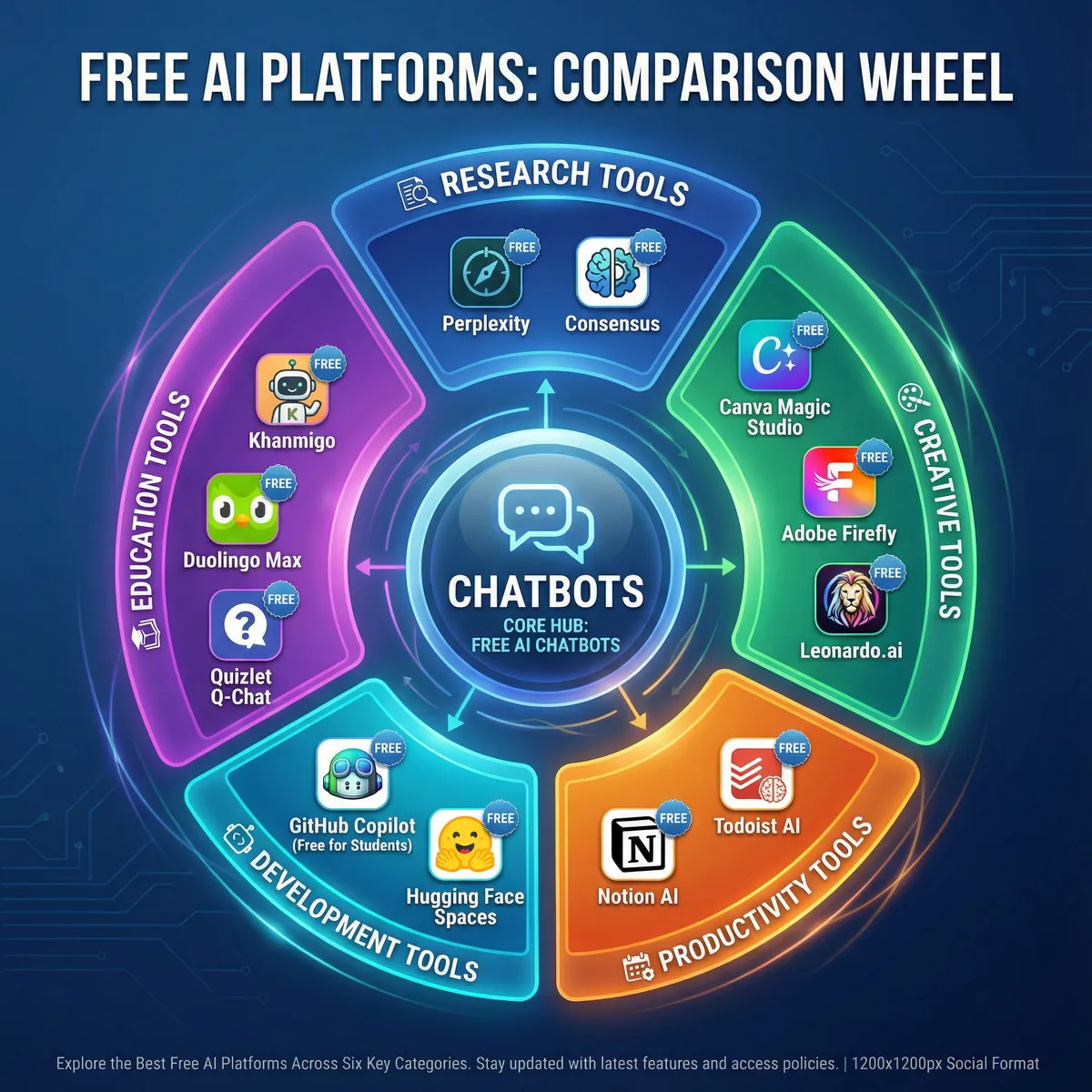
Understanding Free AI Platforms
What Makes a Platform Genuinely Free
When discussing free AI platforms, we mean services that offer substantial value without payment requirements. Not all "free" offerings are created equal, however. Understanding what constitutes genuine free access helps set appropriate expectations.
Genuinely Free Tiers: These provide permanent access to core features indefinitely. You can use them consistently without time limits or trial expirations. The functionality remains available as long as the service exists.
No Credit Card Required: You can sign up and start using immediately without providing payment information. True free platforms don't require financial details upfront. This removes barriers and demonstrates confidence in their value proposition.
Meaningful Capabilities: The free version actually accomplishes useful tasks rather than merely teasing premium features. You can complete real projects and achieve tangible results. The functionality isn't so limited that it becomes frustrating.
Regular Access: You can use the platform consistently for ongoing projects. Daily or monthly limits exist but remain reasonable for typical usage patterns. The service doesn't restrict you to a single trial experience.
Why Companies Offer Free Access
Many wonder why powerful AI platforms provide free access to sophisticated technology. Several strategic business reasons explain this generosity beyond pure altruism.
User Acquisition Strategy: Companies understand that experiencing AI's value firsthand converts users into paying customers eventually. Free tiers serve as extended demonstrations. Users who find value in basic features often upgrade for additional capabilities or higher usage limits. This approach proves more effective than traditional advertising.
Data and Feedback: User interactions help improve AI models through machine learning. Your usage patterns (properly anonymized) contribute to making algorithms smarter and more accurate. Each query trains the system slightly. Companies gain valuable insights into how real users interact with AI technology.
Market Competition: With dozens of AI platforms launching annually, free tiers help companies attract users in an increasingly crowded marketplace. Differentiating based solely on features becomes difficult when capabilities converge. Free access provides a competitive advantage that builds initial user bases rapidly.
Accessibility Mission: Many AI companies genuinely believe in democratizing access to transformative technology. They want everyone to benefit from AI advances, not just those who can afford premium subscriptions. This philosophical commitment drives decisions to keep core features accessible to all.
Setting Appropriate Expectations
Free versions come with certain limitations that users should understand before diving in. Knowing these constraints helps you use platforms more effectively.
Usage Limits: Expect restrictions like messages per day, generations per month, or credit-based systems. These prevent abuse while allowing meaningful use. Most users find limits generous enough for regular needs.
Response Times: Free users may experience slower response times during peak hours. Paid subscribers often receive priority processing. The difference is usually seconds rather than minutes, making it tolerable.
Model Access: Free tiers typically provide access to slightly older model versions. Cutting-edge latest releases often debut in paid tiers first. However, even previous-generation models remain impressively capable for most tasks.
Feature Restrictions: Advanced customization options, team collaboration features, and premium integrations usually require paid subscriptions. Core functionality remains available, but sophisticated workflows may hit limitations.
Still Tremendously Valuable: Despite these constraints, free AI platforms provide enormous value. Most individuals find free tiers completely sufficient for their needs. The limitations rarely prevent accomplishing meaningful work.
Best Free AI Chatbots and Assistants
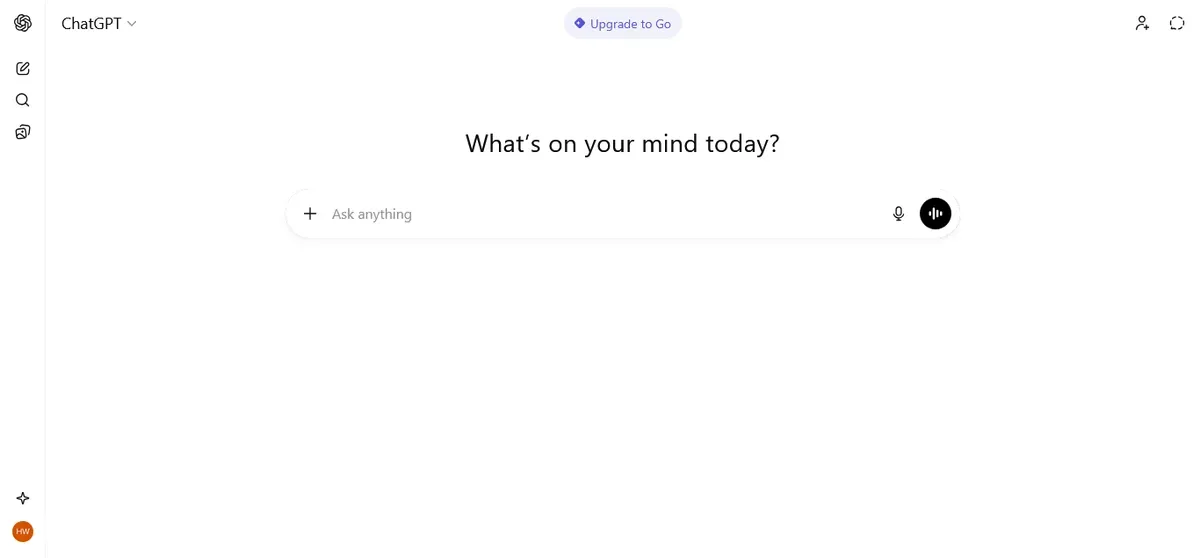
ChatGPT Free by OpenAI
Best For: General conversation, writing assistance, and problem-solving
ChatGPT remains the most popular AI chatbot globally for compelling reasons. Its free version is remarkably capable despite the emergence of many competitors. You can have natural conversations, get writing help, solve complex problems, learn new topics, and accomplish countless other tasks through simple text prompts.
Core Capabilities:
Access to GPT-4o mini model provides impressive intelligence. Unlimited conversations within fair use policy allow consistent use. Web browsing capabilities access current information beyond training data. File upload and analysis handle documents and images. Custom instructions personalize responses to your preferences. Memory features recall context from previous conversations.
The conversational interface makes interaction feel natural rather than technical. You can ask follow-up questions, request clarifications, and refine outputs through dialogue. This iterative approach produces better results than single-shot queries. The system understands context and maintains conversation coherence impressively.
What's Available Free:
Unlimited messages within reasonable fair use guidelines. Daily access to GPT-4o model during off-peak hours. Image generation capabilities through DALL-E integration. Basic file analysis for documents and spreadsheets. Conversation history saved for future reference. Mobile app access for on-the-go use.
Ideal Applications:
Writing assistance and editing polish your communication. Learning and tutoring explain complex concepts clearly. Brainstorming ideas overcome creative blocks quickly. Code help and debugging accelerate programming projects. General questions and research provide quick information. Email drafting maintains professional communication. Content creation generates blog posts and articles.
Limitations to Understand:
Rate limits during peak times may slow responses. Advanced features like GPT-4 access limit to certain times. Custom GPTs creation requires paid subscription. File analysis capabilities remain basic compared to premium.
Why Everyone Should Try It: ChatGPT essentially offers a knowledgeable assistant available 24/7 without appointments or fees. Whether you need help composing an email, understanding a scientific concept, or solving a technical problem, the versatility impresses users consistently. The free tier provides enough capability for most personal and educational use cases.
If you're looking specifically for image creation capabilities alongside text generation, explore our detailed guide on Best Image Creating AI Tools for Beginners to discover specialized platforms optimized for visual content.
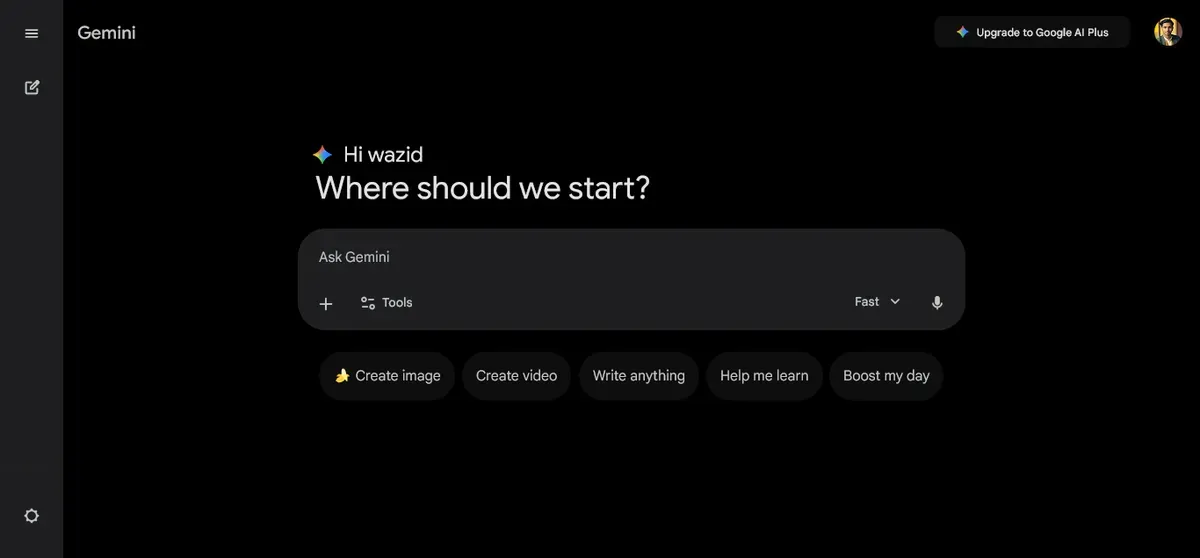
Google Gemini (Formerly Bard)
Best For: Research with real-time internet access
Google Gemini leverages Google's vast search capabilities alongside powerful language models. This combination makes it exceptional for research, current events analysis, and information gathering tasks. The deep integration with Google's ecosystem provides unique advantages.
Core Capabilities:
Real-time internet access retrieves current information instantly. Integration with Google services connects to Gmail, Drive, and more. Multi-modal understanding processes both text and images. Gemini 1.5 Flash model access provides fast responses. Google Workspace integration enhances productivity. Source citations verify information with references.
The ability to search and understand simultaneously differentiates Gemini from competitors. Rather than just retrieving search results, it analyzes and synthesizes information into coherent answers. This approach saves enormous time on research projects.
What's Available Free:
Unlimited conversations without daily message caps. Internet-connected responses with current data. Image understanding and analysis capabilities. Gmail and Google Drive integration. Multiple conversation threads for organization. Mobile app access across devices.
Ideal Applications:
Research and fact-checking verify claims quickly. Current events and news analysis stay updated. Google Workspace productivity boosts efficiency. Finding specific information across sources. Comparing different perspectives on topics. Travel planning with up-to-date details. Shopping research with price comparisons.
Limitations to Understand:
Less creative writing ability than some alternatives. Occasionally cautious responses to sensitive topics. Limited conversation memory between sessions. Integration works best within Google ecosystem.
Why Everyone Should Try It: If you need up-to-date information or want search and understanding combined, Gemini excels at both tasks simultaneously. Its deep Google integration makes it incredibly convenient for users already working within Google's ecosystem of products and services.
Explore how AI enhances video editing workflows
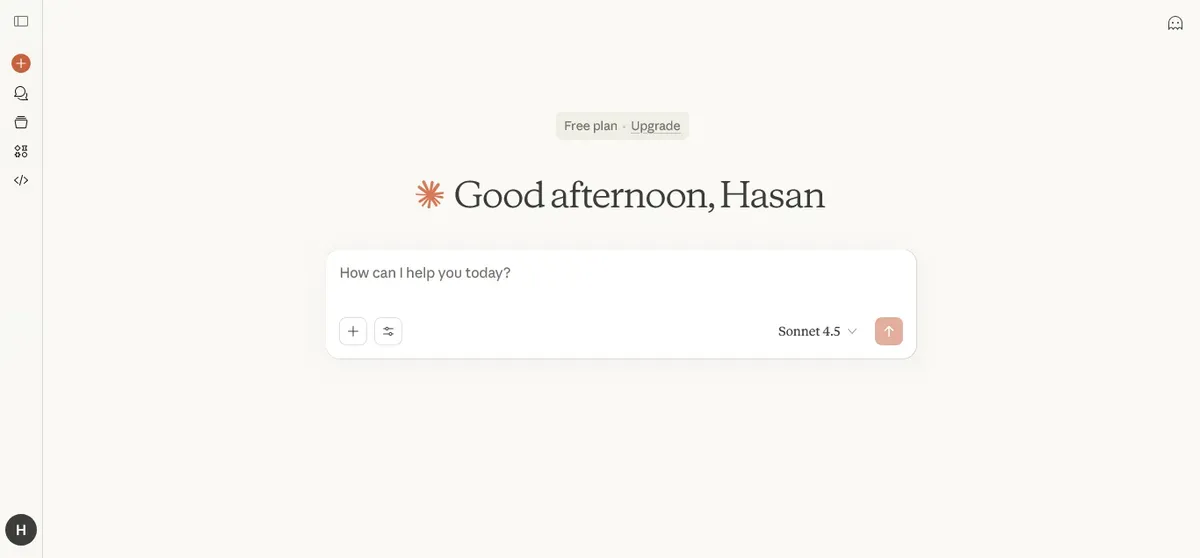
Claude Free by Anthropic
Best For: Long-form writing and detailed analysis
Claude offers thoughtful, nuanced responses with particular strength in writing tasks, document analysis, and understanding complex context. The free version provides generous access to Claude's impressive capabilities. Many writers and researchers prefer Claude's detailed approach.
Core Capabilities:
Longer context windows process more information simultaneously. Thoughtful, detailed responses provide comprehensive answers. Strong safety features prevent harmful content generation. Document analysis and summarization handle lengthy texts. Code assistance supports programming tasks. Natural conversation flow feels human-like.
Claude excels at tasks requiring judgment and nuance. The system doesn't just generate text—it considers implications, suggests alternatives, and explains reasoning. This thoughtful approach produces higher quality outputs for complex projects.
What's Available Free:
Daily message allowance for regular use. Claude 3.5 Sonnet access provides top-tier intelligence. File uploads and analysis process documents. Artifact creation builds reusable components. Multiple conversation threads organize projects. Mobile and desktop access.
Ideal Applications:
Long-form content creation produces articles and essays. Document analysis and summarization distill key points. Detailed explanations make complex topics understandable. Research assistance synthesizes information. Thoughtful brainstorming explores ideas deeply. Academic writing meets scholarly standards. Technical documentation creation.
Limitations to Understand:
Daily message limits cap heavy usage. Slower response times than some competitors. May refuse certain requests based on safety guidelines. Free tier has lower limits than paid.
Why Everyone Should Try It: Claude excels at nuanced tasks requiring understanding and careful judgment. If you're working on complex writing projects or need detailed analysis that considers multiple perspectives, Claude's thoughtful approach consistently delivers impressive results worth experiencing.
Microsoft Copilot
Best For: Integration with Microsoft products
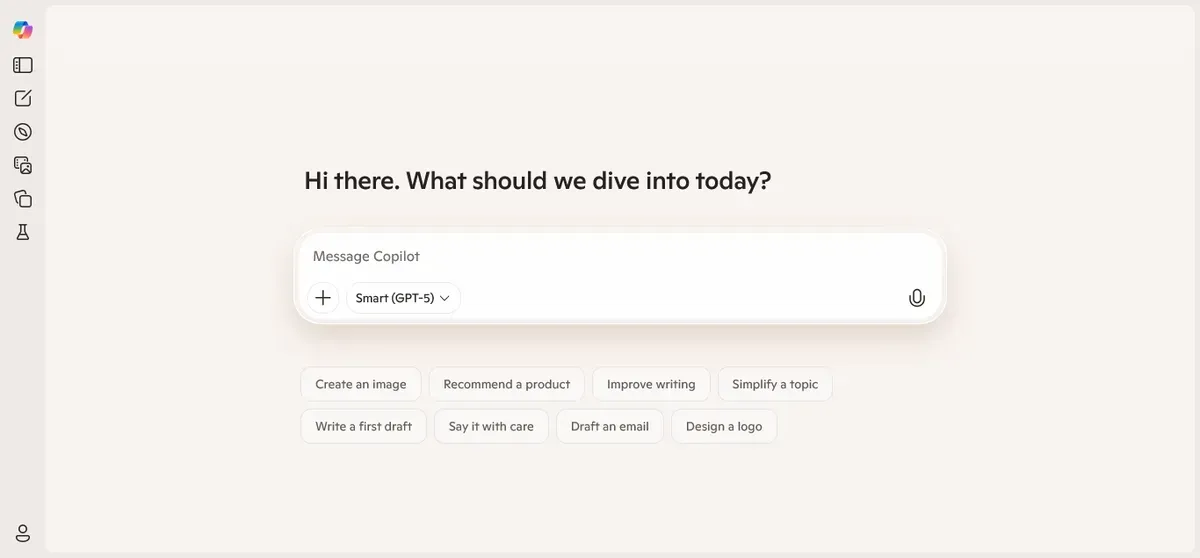
Microsoft's AI assistant integrates seamlessly with Windows 11, Edge browser, and Microsoft 365 applications. This deep integration offers convenient AI access right where you already work daily. The convenience factor significantly reduces friction in adopting AI assistance.
Core Capabilities:
GPT-4 based technology provides strong intelligence. Deep Microsoft integration works across products. Web browsing capabilities access current information. Image generation through Bing Creator. Windows 11 native integration. Microsoft 365 assistance enhances productivity.
The integration across Microsoft's ecosystem means you don't need to switch applications constantly. AI assistance appears contextually where needed. This seamless experience makes AI feel like a natural extension of your existing workflow.
What's Available Free:
Unlimited basic usage for most queries. GPT-4 access without daily limits. Image generation capabilities included. Edge browser integration for research. Web search capabilities built-in. Windows 11 native features.
Ideal Applications:
Windows users benefit from system integration. Microsoft 365 productivity gets AI enhancement. Quick AI access without app switching. Integrated workflow across applications. Research while browsing websites. Email composition assistance. Document drafting support.
Limitations to Understand:
Works best within Microsoft ecosystem exclusively. Some features require Microsoft account sign-in. Limited customization compared to dedicated platforms. Image generation has content restrictions.
Why Everyone Should Try It: If you use Windows or Microsoft products regularly, Copilot is incredibly convenient since it's already built into your system. No additional software installation required. The integration makes AI assistance feel natural rather than bolted-on.
Best Free AI for Research and Information
Perplexity AI
Best For: Research and finding accurate information with sources
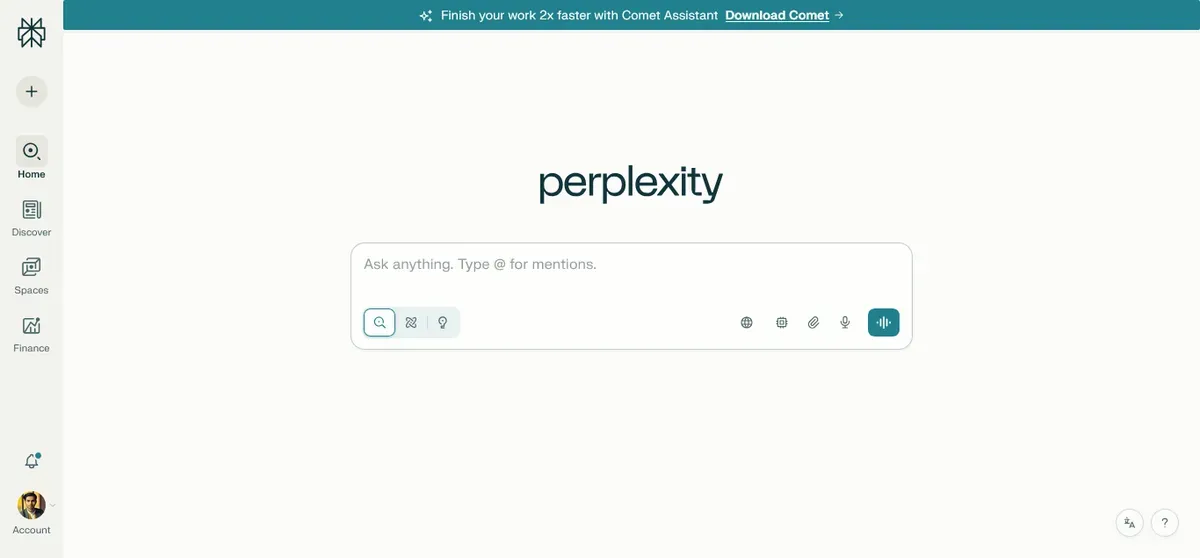
Perplexity AI combines search engine capabilities with AI understanding in a unique way. It provides cited answers with verifiable sources, functioning like a personal research assistant that never sleeps. The citation feature builds trust through transparency.
Core Capabilities:
Source citations for all information build credibility. Real-time internet access retrieves current data. Follow-up question suggestions guide exploration. Academic and general research support. Clean, focused interface minimizes distractions. Thread organization keeps research structured.
The platform bridges the gap between traditional search engines and conversational AI elegantly. Rather than showing ten blue links requiring you to read each website, Perplexity synthesizes information into coherent answers while maintaining source attribution.
What's Available Free:
Unlimited basic searches without daily caps. Five Pro searches per day for deeper research. Source citations with every answer. Conversation threads for project organization. Follow-up questions to explore topics. Mobile app access anywhere.
Ideal Applications:
Academic research for papers and projects. Fact-checking claims and verifying information. Learning new topics from scratch. Finding specific information quickly. Verifying claims with sources. Comparing different viewpoints. Technical research with citations.
Limitations to Understand:
Limited Pro searches in free tier. Focuses on factual information over creativity. Less suitable for creative tasks. Basic searches less comprehensive than Pro.
Why Everyone Should Try It: Perplexity bridges search engines and AI chatbots beautifully. When you need accurate information with verifiable sources rather than creative content, nothing matches its combination of speed and reliability consistently.
Elicit
Best For: Academic and scientific research
Elicit specializes in helping researchers find, understand, and synthesize academic papers efficiently. The platform proves incredibly valuable for students and professionals conducting serious scholarly research. It automates tedious literature review tasks.
Core Capabilities:
Paper discovery and analysis across databases. Citation extraction pulls key references. Research summarization distills findings quickly. Question answering from papers directly. Comparative analysis across studies. Export capabilities for integration.
The platform understands academic research workflows deeply. Rather than generic AI responses, Elicit provides research-specific functionality that saves hours on literature reviews and evidence gathering.
What's Available Free:
5,000 credits per month for searches. Paper search and analysis tools. Basic summaries of research papers. Citation extraction from articles. Literature review assistance. Core research tools without payment.
Ideal Applications:
Academic research for dissertations. Literature reviews for papers. Scientific paper analysis and synthesis. Thesis and dissertation work. Evidence-based learning approaches. Grant proposal research. Systematic reviews.
Limitations to Understand:
Credit-based system limits heavy use. Focused specifically on academic research. Not suitable for general questions. Credits deplete quickly with intensive use.
Why Everyone Should Try It: Students and researchers will save countless hours previously spent on manual literature reviews. Elicit automates tedious parts of research while maintaining academic rigor and standards that scholarly work demands.
Best Free AI for Creative Content
Bing Image Creator (DALL-E)
Best For: Free AI image generation without limits
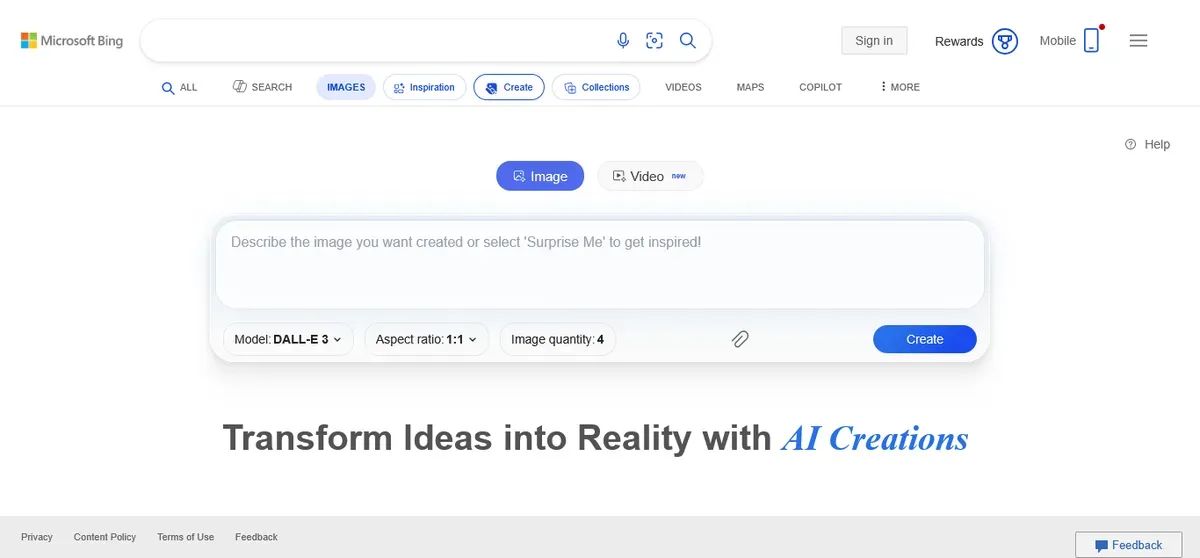
Powered by DALL-E technology from OpenAI, Bing Image Creator is completely free and produces high-quality AI-generated images. No subscription requirements or hidden costs exist. The unlimited nature makes it exceptional for testing and learning.
Core Capabilities:
DALL-E 3 technology provides cutting-edge quality. Completely free forever without trials. No account required for basic usage. Multiple image generations daily. Various artistic styles supported. Commercial-friendly usage terms.
The quality rivals paid alternatives impressively. Detailed prompts produce remarkably accurate images. The boost system encourages regular use while maintaining fairness.
What's Available Free:
Unlimited generations with boost system. High-quality images at good resolution. Multiple aspect ratios supported. Style variations for creativity. Download capabilities for all images. No watermarks on outputs.
Ideal Applications:
Blog graphics and featured images. Social media content creation. Personal projects and hobbies. Learning AI art generation. Quick visualizations of concepts. Presentation illustrations. Creative experimentation.
Limitations to Understand:
Boost system prioritizes active users. Content policy restrictions apply. Limited editing tools post-generation. Queue times during peak usage.
Why Everyone Should Try It: You cannot beat completely free, unlimited image generation from cutting-edge technology. Perfect for testing AI art before committing to paid alternatives. For more specialized image creation options and techniques, check our comprehensive guide on Best Image Creating AI Tools for Beginners.
Canva AI Features
Best For: Design and visual content with AI assistance
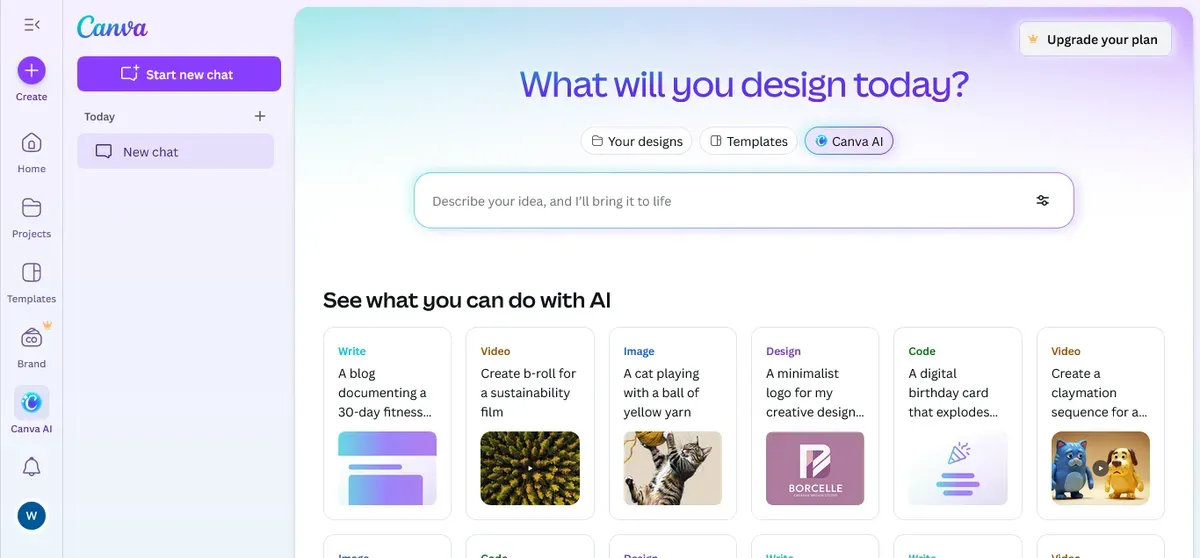
Canva offers numerous AI features in its free tier, making professional design accessible to everyone regardless of experience level. The combination of AI and traditional design tools creates a powerful platform.
Core Capabilities:
Magic Write provides AI text generation. Background remover isolates subjects. Magic Eraser removes unwanted elements. Text to image creates visuals (limited). Template suggestions speed creation. Design intelligence optimizes layouts.
The AI features integrate seamlessly with Canva's existing design tools. This combination allows even non-designers to create professional-looking graphics quickly and easily.
What's Available Free:
50 AI generations per month. All AI writing features unlimited. Basic image editing AI tools. Template access across categories. Design suggestions powered by AI. Export capabilities for projects.
Ideal Applications:
Social media graphics for platforms. Presentations for work or school. Marketing materials for businesses. Quick designs without expertise. Non-designers creating content. Brand consistency across materials. Event invitations and posters.
Limitations to Understand:
Monthly generation limits cap heavy use. Watermarks on some premium features. Limited access to premium elements. AI features reset monthly. Pro features require subscription.
Why Everyone Should Try It: Canva combines AI with traditional design tools seamlessly. Even free users get powerful AI assistance for creating professional visuals without design experience or expensive software.
Explore cloud storage solutions for creative files
Notion AI
Best For: Note-taking and knowledge management with AI
Notion integrates AI throughout its platform, helping you write, organize, and find information more effectively than ever before. The combination of structure and intelligence transforms how you manage knowledge.
Core Capabilities:
AI writing assistance generates content. Content summarization distills key points. Action item extraction from meetings. Q&A on your notes finds information. Translation features reach global audiences. Meeting notes automation saves time.
The AI features enhance an already powerful organizational platform. They don't replace structure but augment it intelligently. This combination proves particularly effective for complex projects.
What's Available Free:
20 AI responses to test features. All AI features accessible initially. Personal workspace without team limits. Unlimited pages for organization. Basic collaboration features included. Mobile and desktop apps.
Ideal Applications:
Personal knowledge management systems. Meeting notes and summaries. Project planning and tracking. Study notes for students. Content organization and retrieval. Collaborative workspaces. Research compilation.
Limitations to Understand:
20 AI responses limit for free tier. Requires Notion account and learning. Best value comes with paid subscription. Limited compared to dedicated AI tools.
Why Everyone Should Try It: If you use Notion for organization already, the AI features feel magical and natural. They enhance an already powerful platform significantly. Even testing with 20 free responses demonstrates the potential value clearly.
Best Free AI for Productivity and Work
Grammarly Free
Best For: Writing improvement and grammar checking everywhere
Grammarly uses AI to improve your writing across all platforms and applications. It catches errors and suggests improvements in real-time as you type. The silent background operation makes it feel effortless.
Core Capabilities:
Grammar and spelling checks catch errors. Clarity suggestions improve readability significantly. Tone detection ensures appropriate messaging. Basic punctuation correction prevents mistakes. Browser extension works everywhere. Works across all writing platforms.
Grammarly works silently monitoring your text across emails, documents, social media posts, and web forms. Errors get caught immediately rather than during proofreading later. This real-time assistance saves enormous time.
What's Available Free:
Core grammar checking unlimited. Basic spelling correction everywhere. Punctuation help prevents errors. Conciseness suggestions tighten writing. Tone indicators show emotional impact. Cross-platform functionality.
Ideal Applications:
Email composition and replies. Document editing before sharing. Social media posts and comments. Professional communication maintenance. Learning better practices over time. Academic writing improvement. Business correspondence quality.
Limitations to Understand:
Advanced features require premium subscription. Limited style suggestions in free tier. No plagiarism checker in free version. Basic tone detection only. Premium offers more sophisticated analysis.
Why Everyone Should Try It: Grammarly works silently in the background across everything you write, improving quality effortlessly. The free version alone catches countless errors that would otherwise slip through, making your communication more professional instantly.
QuillBot
Best For: Paraphrasing and text rewriting
QuillBot uses AI to help rewrite and improve text while maintaining original meaning. Perfect for avoiding repetition, improving clarity, and finding better ways to express ideas. The technology understands meaning rather than just replacing words.
Core Capabilities:
AI paraphrasing rewrites intelligently. Grammar checking catches errors simultaneously. Summarization tool condenses documents. Citation generator formats references. Multiple writing modes offer approaches. Synonym suggestions expand vocabulary.
Sometimes you know what you want to say but struggle with expression. QuillBot instantly provides alternative phrasings that maintain your intended meaning while improving clarity and flow.
What's Available Free:
125 words per paraphrase session. Two writing modes available. Basic grammar checking included. Standard vocabulary level. Unlimited usage within limits. Cross-platform functionality.
Ideal Applications:
Rewriting content for clarity. Avoiding repetition in text. Improving expression quality. Academic writing refinement. Content repurposing projects. Email variation creation. Learning better phrasing.
Limitations to Understand:
Word count restrictions per session. Limited writing modes in free tier. Slower processing than premium. Premium synonym options locked. Advanced features require subscription.
Why Everyone Should Try It: Sometimes you know what you want to say but struggle with how to express it effectively. QuillBot helps reshape sentences while preserving meaning, making it invaluable for writing improvement.
Best Free AI for Learning and Education
Khan Academy with Khanmigo
Best For: Personalized learning and tutoring
Khan Academy's AI tutor, Khanmigo, provides personalized learning assistance across numerous subjects. This makes quality education more accessible to everyone regardless of location or resources. The patient, judgment-free approach encourages exploration.
Core Capabilities:
Personalized tutoring adapts to your level. Step-by-step guidance builds understanding. Multi-subject support covers mathematics, science, humanities. Progress tracking monitors improvement. Safe environment for students. Socratic teaching method encourages critical thinking.
The platform doesn't just give answers—it guides you toward understanding through questions. This pedagogical approach builds genuine comprehension rather than memorization.
What's Available Free:
Limited Khanmigo access to test. All traditional Khan Academy content. Practice exercises with feedback. Video lessons across subjects. Progress tracking and goals. Community features and forums.
Ideal Applications:
Student learning across subjects. Homework help without solutions. Test preparation for standardized exams. Concept understanding deeply. Self-paced education anywhere. Supplementing classroom learning. Adult education and reskilling.
Limitations to Understand:
Limited AI tutor sessions free. Requires verification for student features. Subject availability varies. Full access requires subscription. Some advanced features locked.
Why Everyone Should Try It: Having a patient tutor available anytime transforms learning experiences dramatically. Khanmigo explains concepts without judgment until you truly understand, making education accessible to everyone.
Explore educational technology trends
Duolingo with AI Features
Best For: Language learning with AI assistance
Duolingo incorporates AI to personalize language learning experiences, adapt to your pace, and provide conversational practice opportunities. The gamified approach makes learning feel less like work and more like play.
Core Capabilities:
AI conversation partners practice speaking. Personalized lesson paths adapt difficulty. Explanation features clarify grammar. Adaptive difficulty matches your level. Gamified learning maintains motivation. Multiple languages supported globally.
The AI conversation feature lets you practice speaking without embarrassment. Making mistakes with an AI partner feels less intimidating than with human tutors.
What's Available Free:
Full course access across languages. AI explanations for grammar. Basic conversation practice sessions. Progress tracking over time. Community features for support. Achievement system for motivation.
Ideal Applications:
Language learning from scratch. Daily practice habit building. Beginner to intermediate levels. Casual learning at your pace. Building confidence speaking. Maintaining existing language skills. Preparing for travel abroad.
Limitations to Understand:
Ads interrupt free version. Limited hearts restrict mistakes. Some features locked in free. Super Duolingo offers more. Conversation practice time limited.
Why Everyone Should Try It: Learning languages feels less intimidating with AI conversation partners providing judgment-free practice. Progress at your own pace without pressure or embarrassment about mistakes.
Best Free AI Development and Code Tools
GitHub Copilot (Free for Students/Open Source)
Best For: Code assistance and programming
GitHub Copilot suggests code completions and entire functions using AI, dramatically speeding up development. Those who qualify for free access gain a powerful programming partner. It's like having an experienced developer helping constantly.
Core Capabilities:
Code suggestions as you type. Function generation from comments. Multi-language support across frameworks. Context-aware completions understand intent. Documentation help explains code. Test generation creates unit tests.
The AI understands programming patterns and suggests appropriate code based on context. This accelerates development significantly while teaching best practices.
What's Available Free:
Completely free for verified students. Free for open-source maintainers. All Copilot features unlocked. IDE integration across platforms. Unlimited suggestions daily. Multi-language support included.
Ideal Applications:
Student developers learning coding. Open source project development. Learning to code faster. Rapid prototyping ideas quickly. Reducing repetitive coding tasks. Exploring new languages. Understanding code patterns.
Limitations to Understand:
Requires verification for free access. Not free for general commercial users. Requires IDE setup and configuration. Works best with supported IDEs. Some languages better supported.
Why Everyone Should Try It: If you're a student learning to code, Copilot accelerates learning dramatically by showing you proper patterns and suggesting solutions. It's like having an experienced programmer mentoring you constantly.
Replit AI (Ghostwriter)
Best For: Learning to code with AI assistance
Replit provides a complete coding environment with AI assistance built-in. Perfect for beginners learning programming without complex setup. Everything runs in your browser without installation hassles.
Core Capabilities:
Explain code feature breaks down logic. Code completion speeds typing. Bug detection finds errors early. Code generation from descriptions. Browser-based IDE runs anywhere. Multiple languages supported widely.
The explain feature proves particularly valuable for learners. Understanding why code works matters more than just copying solutions.
What's Available Free:
Limited AI completions monthly. Full IDE access in browser. Code explanation features. Public projects hosting. Community access for help. No installation required.
Ideal Applications:
Beginner programmers starting out. Quick code experiments. Learning new programming languages. Collaborative coding projects. No setup required access. Testing ideas rapidly. Following coding tutorials.
Limitations to Understand:
Limited AI uses per month. Public projects only in free tier. Resource limitations on projects. Private projects require payment. Heavy projects may hit limits.
Why Everyone Should Try It: Learn to code without installing anything locally. The AI explains what's happening and suggests improvements as you learn, making programming more accessible to beginners.
Choosing Your Perfect AI Toolkit
Building Your Personal AI Stack
You don't need to use just one platform exclusively. Most people benefit significantly from combining several free AI platforms strategically. Each serves specific purposes better than others. Here's a strategic approach to building your toolkit.
Essential Starter Pack (Everyone):
One chatbot like ChatGPT or Gemini handles general questions and conversations. One research tool like Perplexity finds accurate information quickly. One creative tool like Bing Image Creator generates visuals. One productivity tool like Grammarly improves your writing quality.
This basic combination covers most common needs without overwhelming beginners. Start here and expand based on specific requirements.
Student Add-ons:
Khan Academy provides learning and tutoring support. Elicit assists with research papers and citations. Replit or GitHub Copilot helps with coding assignments. QuillBot improves writing and paraphrasing. Duolingo supports language learning goals.
Students benefit from educational-focused platforms that understand academic needs specifically. These additions transform how you study and complete assignments.
Professional Add-ons:
Claude excels at detailed writing projects. Microsoft Copilot integrates with workflow tools. Notion AI organizes knowledge effectively. QuillBot refines content before publishing. Grammarly maintains professional communication standards.
Professionals need platforms that integrate with existing workflows and maintain quality standards. These selections enhance productivity without disrupting established processes.
Creator Add-ons:
Canva AI assists with design needs. Multiple image generators provide variety. Writing assistants generate content drafts. Planning tools organize creative projects. Social media schedulers amplify reach.
Content creators require platforms that accelerate production without sacrificing quality. These tools multiply output while maintaining creative control.
Privacy and Safety Considerations
Understanding Data and Privacy
Most AI companies use your interactions to improve their models over time. Understanding what happens with your data helps you make informed decisions about usage.
Training Data Usage: Many platforms may use your conversations to train future AI models. You can often opt out in privacy settings. Read terms of service for specific platform policies. Opting out may limit some features.
Data Storage Practices: Your conversations are typically stored on company servers indefinitely. Some platforms retain data for extended periods. Others delete after specific timeframes. Review each platform's data retention policy.
Third-Party Sharing: Most reputable platforms don't sell your data to advertisers. Some share anonymized data with research partners. Always review privacy policies before using new platforms. Understand who has access to your information.
Learn more about digital privacy
Safety Tips for Using Free AI
Never Share Sensitive Information: Don't input passwords, financial details, personal identification numbers, or confidential business information into any AI platform. Treat every conversation as potentially visible to others.
Verify Important Information: AI can make mistakes or "hallucinate" facts confidently. Always verify critical information from authoritative sources. Don't make important decisions based solely on AI outputs.
Use Privacy Features: Many platforms offer privacy modes or temporary chats. Use them for sensitive topics you don't want stored. Enable these features when discussing anything personal.
Review Privacy Settings: Check what data each platform collects about you. Adjust settings to your comfort level. Many platforms allow you to delete conversation history.
Understand Content Policies: Know what's allowed on each platform. Violating terms of service could result in account suspension. Most platforms prohibit harmful, illegal, or inappropriate content.
Teaching Young Users
If children or teenagers use these platforms, guidance ensures safe and educational experiences.
Supervision Matters: Monitor what younger users create and learn from AI platforms. Regular check-ins help identify issues early. Open communication builds trust and understanding.
Educational Focus: Frame AI as a learning aid, not a replacement for thinking or completing homework independently. Emphasize critical thinking over accepting outputs blindly.
Critical Thinking Skills: Teach kids to question AI outputs and verify information rather than accepting everything as factual. This skill proves valuable throughout life.
Appropriate Use: Ensure age-appropriate platforms and content consumption. Many AI platforms have minimum age requirements. Respect these restrictions for safety reasons.
Conclusion: Your Free AI Journey Starts Today
The artificial intelligence revolution is happening right now, and you don't need to pay anything to participate actively. The free AI platforms covered in this comprehensive guide represent some of the most powerful technology ever created by humanity, now accessible to everyone with an internet connection regardless of location or resources.
Whether you're a student seeking homework help, a professional looking to boost productivity, a creator developing content, or simply someone curious about AI capabilities, these platforms can transform how you work and create. The key to success is simply getting started rather than overthinking the process.
Your Action Plan
Today:
Choose one chatbot like ChatGPT or Gemini and ask it three different questions about topics you're curious about. Try generating one image with Bing Image Creator to see the creative possibilities. Sign up for Perplexity and research a topic you want to learn more about deeply.
This Week:
Install Grammarly and let it improve your emails automatically. Explore three different AI platforms from this list systematically. Join one community like Reddit or Discord about AI platforms to learn from other users.
This Month:
Build your personal AI toolkit of 5-7 complementary platforms serving different needs. Learn effective prompting techniques through practice and studying examples. Start a project using multiple AI platforms together to see how they complement each other.
Key Takeaways to Remember
Free doesn't mean inferior quality—many free AI platforms use the same models as paid versions. Combine platforms strategically using different AI services for their specific strengths. Respect usage limits by understanding restrictions and planning accordingly. Verify important information because AI makes confident mistakes regularly. Protect your privacy by never sharing sensitive information. Keep learning because AI technology evolves rapidly with new capabilities emerging constantly.
The future of work, creativity, and learning is being shaped by artificial intelligence right now. These free platforms give you a front-row seat to that transformation. You have nothing to lose and everything to gain by exploring.
Start exploring today. Your personal AI assistant, research helper, creative partner, and productivity booster are all waiting—completely free without payment required.
Never Miss an Update
Join thousands of readers getting the latest insights on technology, business, and digital marketing.


