Best Image Creating AI Tools for Beginners (2025 Edition)
Explore the top AI image creation tools perfect for beginners in 2026. Learn which platforms offer the easiest interfaces and best results for your creative projects.
Hasan Wazid
Creating beautiful images used to require years of design training and expensive software. But in 2026, artificial intelligence has completely changed the game. Today, anyone can create professional-quality images simply...
Too long? Ask AI to summarize
Get a quick summary of this article using your favorite AI assistant
Introduction: Why AI Image Tools Are Perfect for Beginners in 2026
Creating beautiful images used to require years of design training and expensive software. But in 2026, artificial intelligence has completely changed the game. Today, anyone can create professional-quality images simply by describing what they want in plain English.
AI image generators have become incredibly user-friendly, affordable, and powerful. Whether you need images for your blog, social media posts, presentations, or personal projects, these tools can help you bring your ideas to life in seconds. The best part? You don't need any technical skills or artistic talent.
In this comprehensive guide, we'll explore the best AI image creating tools specifically chosen for beginners. We'll cover free options, paid platforms, and everything you need to know to start creating stunning visuals today.
Understanding AI Image Generation
What Are AI Image Tools?
AI image generators are software platforms that use artificial intelligence to create pictures from text descriptions. You simply type what you want to see—like "a cozy coffee shop on a rainy day"—and the AI produces a unique image based on your words.
These tools use machine learning models trained on millions of images to understand visual concepts, styles, and compositions. The technology has advanced dramatically, especially heading into 2026, making the results more realistic and creative than ever before.
How Do AI Image Generators Work?
The process is surprisingly simple for users:
Step 1: You write a text prompt describing your desired image
Step 2: The AI processes your description using complex algorithms
Step 3: The system generates one or multiple image options
Step 4: You can refine, edit, or regenerate until satisfied
Behind the scenes, these tools use sophisticated neural networks, but you don't need to understand the technical details to create amazing images.
Why Beginners Love AI Image Tools
No Design Skills Required: You don't need to know Photoshop or illustration techniques. If you can describe something in words, you can create it.
Speed and Efficiency: What might take hours to design manually takes seconds with AI.
Unlimited Creativity: You can experiment with styles, concepts, and ideas without limitations.
Cost-Effective: Many tools offer free tiers or affordable plans compared to hiring designers.
Learning Opportunity: As you create, you naturally learn about composition, color theory, and visual communication.
Top AI Image Tools for Beginners in 2026
1. DALL-E 3 by OpenAI
Best For: Realistic images and precise control
DALL-E 3 stands out as one of the most accurate AI image generators available in 2026. It excels at understanding complex prompts and producing images that closely match your vision.
Key Features:
Highly accurate text interpretation
Excellent at rendering text within images
Improved safety features to prevent misuse
Integration with ChatGPT for prompt assistance
Commercial use rights included
Pricing:
Free tier with limited credits
Paid plans starting at $20/month
Credits refresh monthly
Why Beginners Love It: The integration with ChatGPT helps you write better prompts. If you're unsure how to describe your idea, ChatGPT can help refine your text for better results.
Best Use Cases:
Marketing materials
Blog illustrations
Social media graphics
Concept art for projects
If you're also interested in text-based AI tools, check out our guide on Best AI Writing Tools for Fast and Easy Content Creation to complement your visual content.
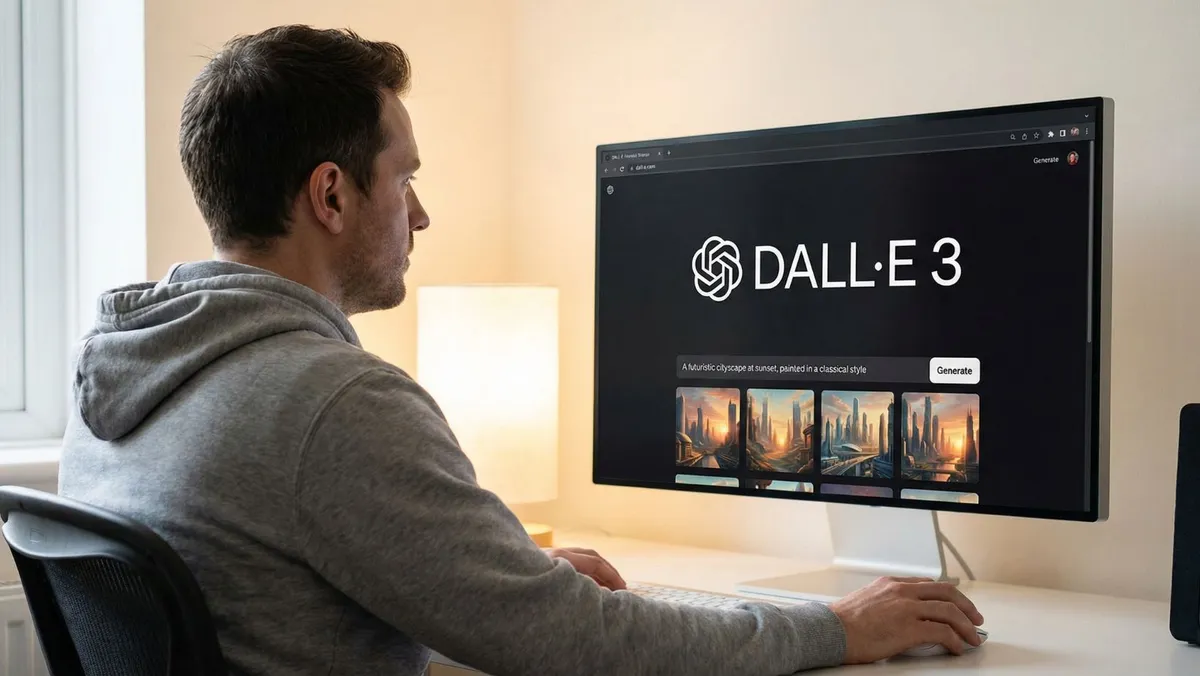
To get started with DALL-E 3 and see official examples, visit OpenAI's official DALL-E 3 page to learn more about capabilities and pricing
2. Midjourney
Best For: Artistic and stylized images
Midjourney has built a reputation for creating breathtakingly beautiful, artistic images. It's particularly strong with fantasy art, landscapes, and creative compositions.
Key Features:
Stunning artistic quality
Active community for inspiration
Regular updates with new features
Advanced customization options
Style consistency features
Pricing:
Basic plan: $10/month
Standard plan: $30/month
Pro plan: $60/month
No free tier as of 2026
Why Beginners Love It: The Midjourney community is incredibly helpful. You can see what prompts others use and learn from thousands of examples in their Discord server.
Best Use Cases:
Book covers
Album artwork
Fantasy illustrations
Creative projects
Portfolio pieces
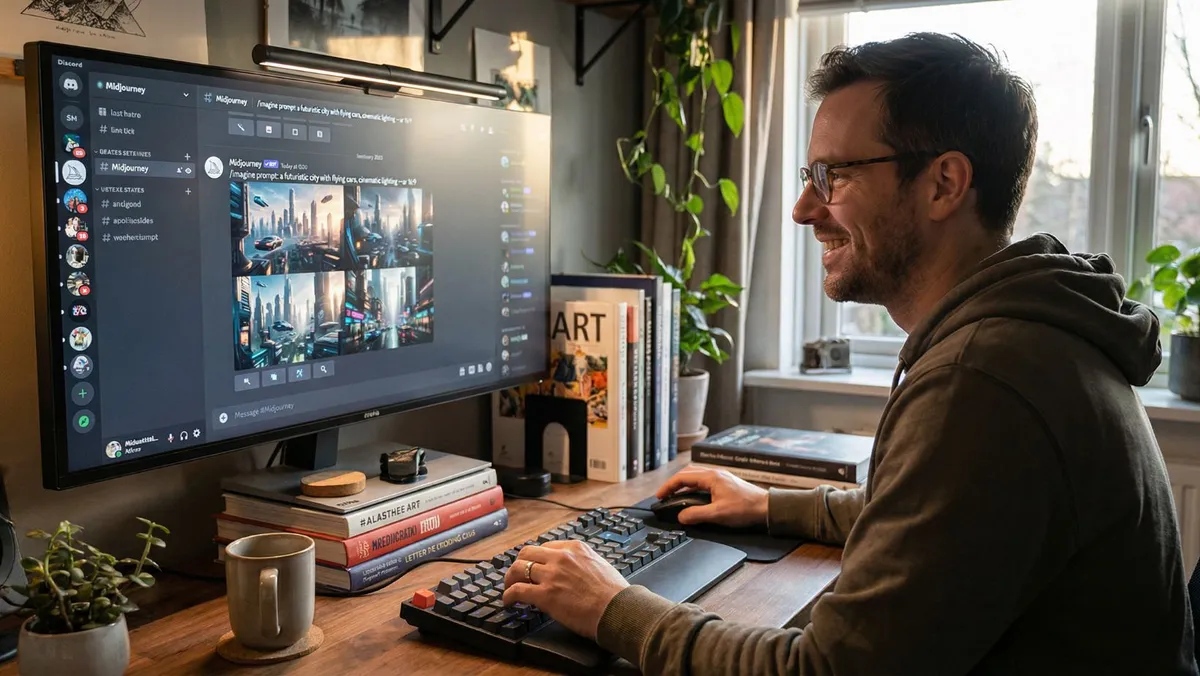
For detailed tutorials on prompt crafting and advanced features, explore the comprehensive Midjourney documentation to master the platform.
3. Canva AI Image Generator
Best For: Quick designs with editing capabilities
Canva has integrated AI image generation directly into their popular design platform, making it incredibly convenient for beginners who want both creation and editing tools in one place.
Key Features:
Seamless integration with Canva editor
Pre-made templates with AI image slots
Easy text overlay and editing
Multiple style options
Instant sharing and downloading
Pricing:
Free tier with limited generations
Canva Pro: $12.99/month (includes unlimited AI images)
Team plans available
Why Beginners Love It: You can generate an image and immediately add text, adjust colors, or incorporate it into a complete design—all without switching platforms.
Best Use Cases:
Social media posts
Presentations
Posters and flyers
Quick graphics
Template-based designs
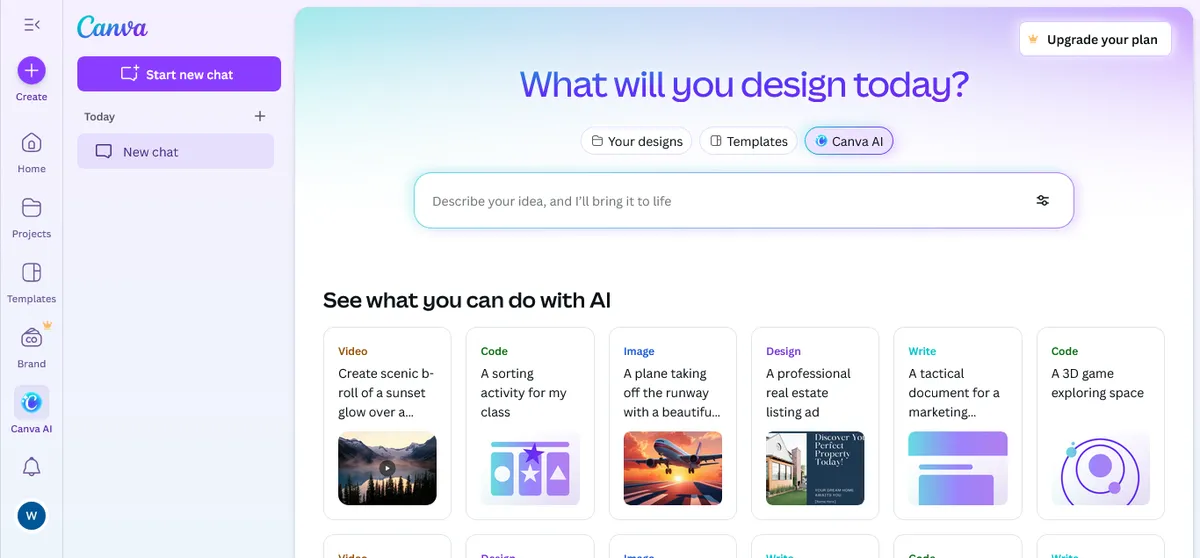
New to Canva's AI features? Check out Canva's AI image generator guide for step-by-step tutorials and inspiration.
4. Adobe Firefly
Best For: Professional quality with Adobe integration
Adobe Firefly brings enterprise-level AI image generation with a focus on commercial safety and integration with Adobe's creative suite.
Key Features:
Commercially safe training data
Integration with Photoshop and Illustrator
Advanced editing capabilities
Style reference features
High-resolution outputs
Pricing:
Free tier with 25 credits/month
Premium: $4.99/month (100 credits)
Included with Adobe Creative Cloud subscriptions
Why Beginners Love It: If you're learning Adobe tools, Firefly works beautifully alongside them. The commercial safety guarantee gives peace of mind for business use.
Best Use Cases:
Professional presentations
Client work
Commercial projects
Print materials
Brand assets
Learn more about AI productivity tools that integrate well with creative workflows in our article on Best Free AI Websites Everyone Should Try.
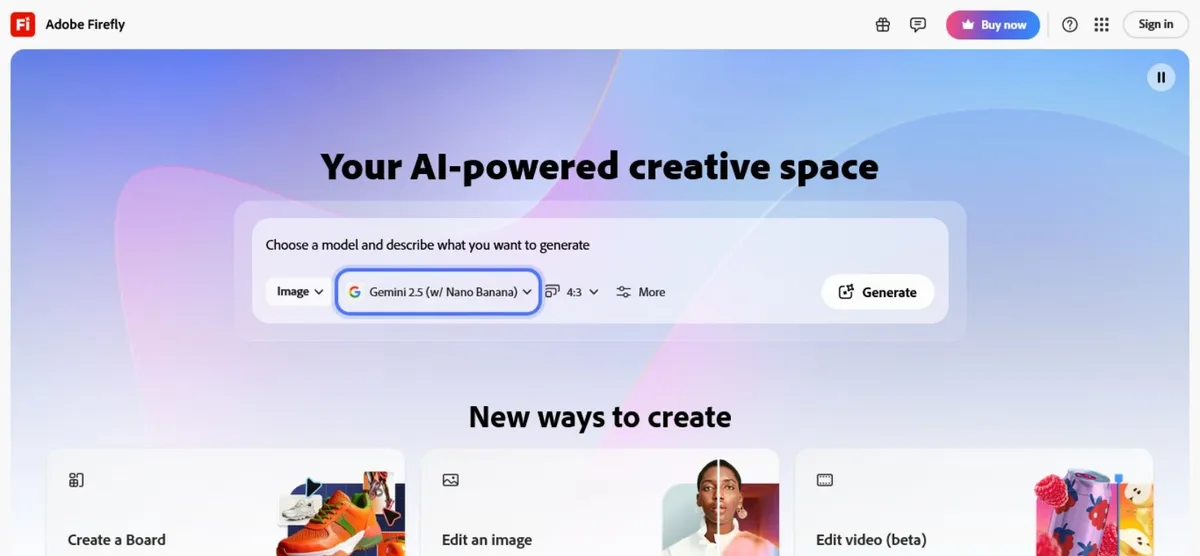
See what's possible with professional-grade AI by browsing the Adobe Firefly community gallery for creative inspiration
5. Leonardo AI
Best For: Game assets and consistent character design
Leonardo AI specializes in creating assets for games, apps, and projects requiring visual consistency across multiple images.
Key Features:
Character consistency tools
Asset generation for games
Multiple model options
Upscaling capabilities
Community-trained models
Pricing:
Free tier: 150 tokens daily
Apprentice: $10/month
Artisan: $24/month
Maestro: $48/month
Why Beginners Love It: The platform offers excellent tutorials and the ability to maintain consistent characters across multiple images—perfect for storytelling projects.
Best Use Cases:
Game development
Character design
Storyboarding
App interfaces
Consistent visual series
6. Bing Image Creator (DALL-E Integration)
Best For: Completely free option with good quality
Microsoft's Bing Image Creator uses DALL-E technology and offers a completely free way to generate AI images with no subscription required.
Key Features:
Completely free to use
DALL-E 3 technology
No account required for basic use
Microsoft Rewards integration
Clean, simple interface
Pricing:
100% free
Earn extra credits through Microsoft Rewards
Why Beginners Love It: You literally can't beat free. It's perfect for testing AI image generation before committing to paid tools.
Best Use Cases:
Personal projects
Learning and experimentation
Budget projects
Quick mock-ups
Educational purposes
7. Stable Diffusion (via DreamStudio)
Best For: Maximum control and customization
Stable Diffusion is an open-source model accessible through user-friendly interfaces like DreamStudio, offering incredible flexibility for those who want more control.
Key Features:
Open-source flexibility
Multiple checkpoint models
Advanced parameter controls
Active development community
API access available
Pricing:
DreamStudio: Pay-as-you-go (approximately $1.18 per 100 images)
Very cost-effective for occasional use
Why Beginners Love It: While it offers advanced options, the basic interface is simple. You can start simple and gradually explore more complex features as you learn.
Best Use Cases:
Experimental projects
Learning AI art
Budget-conscious creation
Technical exploration
Custom implementations
To dive deeper into advanced features and technical capabilities, visit Stability AI's learning resources for comprehensive guides.
Choosing the Right Tool for Your Needs
Decision Matrix: Which Tool Should You Choose?
If You Want the Best Free Option: → Start with Bing Image Creator
If You Need Commercial Rights: → Choose DALL-E 3 or Adobe Firefly
If You Want Artistic, Beautiful Images: → Go with Midjourney
If You Need Editing Tools Too: → Pick Canva AI
If You're Creating Game Assets: → Select Leonardo AI
If You Want Maximum Control: → Try Stable Diffusion via DreamStudio
Factors to Consider
1. Budget
Free options: Bing Image Creator, limited tiers of others
Low budget ($10-15/month): Leonardo AI, Canva Pro
Medium budget ($20-30/month): DALL-E 3, Midjourney
Professional budget: Adobe Firefly with Creative Cloud
2. Image Style Preference
Realistic photos: DALL-E 3, Adobe Firefly
Artistic illustrations: Midjourney, Leonardo AI
Quick graphics: Canva AI
Technical/experimental: Stable Diffusion
3. Usage Rights Always check the terms of service, but generally:
Commercial use allowed: DALL-E 3, Adobe Firefly, Midjourney (paid plans), Canva Pro
Personal use only: Check current terms for free tiers
Attribution required: Some free tools require credit
4. Learning Curve
Easiest: Canva AI, Bing Image Creator
Moderate: DALL-E 3, Adobe Firefly
Steeper: Midjourney (Discord interface), Stable Diffusion
Writing Effective AI Image Prompts
The Anatomy of a Great Prompt
Creating good AI images starts with writing clear, descriptive prompts. Here's a simple formula that works across most platforms:
[Subject] + [Action/Pose] + [Setting] + [Style] + [Mood/Lighting]Example: "A friendly golden retriever, sitting on a wooden porch, surrounded by autumn leaves, watercolor painting style, warm afternoon lighting"
Basic Prompt Writing Tips
Be Specific but Natural: Instead of: "dog" Try: "a small brown terrier with floppy ears"
Include Style References:
"photorealistic"
"cartoon style"
"oil painting"
"minimalist illustration"
"vintage poster art"
Describe the Mood:
"cheerful and bright"
"moody and atmospheric"
"professional and clean"
"whimsical and playful"
Mention Lighting:
"golden hour lighting"
"soft studio lighting"
"dramatic shadows"
"bright and airy"
Common Prompt Mistakes to Avoid
❌ Being too vague: "make something cool" ✓ Better: "a futuristic city skyline at sunset with flying cars"
❌ Overloading with details: Including 20+ descriptors in one prompt ✓ Better: Focus on 5-7 key elements
❌ Conflicting instructions: "realistic cartoon" or "dark bright image" ✓ Better: Choose one clear style direction
❌ Using negative language poorly: "without people, no cars, not blue" ✓ Better: State what you DO want instead
Practical Tips for Beginners
Getting Started: Your First 7 Days
Day 1-2: Explore and Experiment
Sign up for 2-3 free tools
Generate 10-15 images with simple prompts
Save your favorites and note what worked
Day 3-4: Study and Learn
Browse community galleries
Note prompts that create images you like
Try recreating similar styles
Day 5-6: Refine Your Skills
Focus on one specific style or subject
Practice writing more detailed prompts
Experiment with different tools for the same prompt
Day 7: Apply Your Skills
Create images for a real project
Compile your best work
Identify which tool you prefer
Best Practices for Consistent Results
1. Save Your Successful Prompts Keep a document with prompts that worked well. Build your own "prompt library" for future reference.
2. Start Simple, Then Add Details Begin with a basic prompt. Generate the image, then add more details to refine it rather than trying to perfect it in one shot.
3. Use Multiple Generations Most tools let you generate 4-6 variations. Always generate multiple options and choose the best one.
4. Learn Platform-Specific Features Each tool has unique parameters. Spend time learning your chosen platform's special features:
Midjourney: aspect ratios, style weights
DALL-E 3: natural language understanding
Stable Diffusion: seed numbers, sampling methods
5. Join Communities Participate in Discord servers, Reddit communities, or Facebook groups dedicated to AI art. The learning curve shortens dramatically with community support.
For more beginner-friendly AI tools across different categories, explore our comprehensive guide on Best Free AI Websites Everyone Should Try.
Comparison Table
Tool | Best For | Free Tier | Starting Price | Commercial Use | Ease of Use |
|---|---|---|---|---|---|
DALL-E 3 | Accuracy | Limited | $20/month | ✓ | Easy |
Midjourney | Artistic Quality | ✗ | $10/month | ✓ (paid plans) | Moderate |
Canva AI | Quick Designs | ✓ | $12.99/month | ✓ (Pro plan) | Very Easy |
Adobe Firefly | Professional Use | 25/month | $4.99/month | ✓ | Easy |
Leonardo AI | Game Assets | 150 daily | $10/month | ✓ | Moderate |
Stable Diffusion | Customization | ✓ | ~$1.18/100 images | ✓ | Moderate-Hard |
Bing Image Creator | Free Access | Unlimited | Free | Check ToS | Very Easy |
Real-World Applications for Beginners
Blog and Content Creation
AI image tools are perfect for bloggers who need:
Featured images for articles
Infographic elements
Custom illustrations
Header graphics
Social media thumbnails
Pro Tip: Create a consistent style by using similar prompt structures across all your blog images. This builds visual brand recognition.
Social Media Content
Generate eye-catching visuals for:
Instagram posts and stories
Facebook cover images
Twitter/X header images
LinkedIn articles
Pinterest pins
Pro Tip: Each platform has ideal dimensions. Generate images, then use tools like Canva to resize them perfectly.
Presentations and Educational Materials
Teachers, students, and professionals can create:
Presentation slides backgrounds
Educational diagrams
Concept illustrations
Report covers
Training materials
Pro Tip: Use professional, clean styles for business contexts. Phrases like "corporate style" or "professional presentation graphic" work well.
Personal Projects
Have fun creating:
Custom birthday cards
Party invitations
Personal artwork
Gift ideas
Home decor prints
Pro Tip: For printing, always use the highest resolution settings available and check the tool's print recommendations.
Important Considerations and Ethics
Understanding Usage Rights
Before using AI-generated images commercially, always:
1. Read the Terms of Service Each platform has different rules about what you can do with generated images.
2. Check Commercial License Requirements Some tools require paid subscriptions for commercial use, even if they have free tiers.
3. Verify Attribution Needs Some platforms require you to credit them when using images publicly.
4. Understand Copyright Implications AI-generated images exist in a complex legal area. In many jurisdictions, they may not receive traditional copyright protection.
Ethical AI Image Creation
Be Responsible:
Don't create misleading or false images
Avoid generating images of real people without permission
Respect cultural sensitivity
Don't create content that could harm others
Be Transparent: When appropriate, disclose that images are AI-generated, especially for journalism, educational materials, or contexts where authenticity matters.
Support Artists: AI tools are trained on human-created art. Consider using AI as a complement to, not a replacement for, supporting human artists.
Conclusion: Your Journey with AI Image Creation Starts Now
As we move through 2026, AI image generation has become an essential skill for anyone creating digital content. Whether you're a blogger, small business owner, student, or creative hobbyist, these tools democratize visual creation in unprecedented ways.
The best part? You don't need to choose just one tool. Most creators use multiple platforms depending on their project needs. Start with a free option like Bing Image Creator to learn the basics, then explore paid tools that match your specific goals.
Key Takeaways:
Start simple: Begin with user-friendly platforms like Canva AI or Bing Image Creator
Practice prompting: Your results will improve dramatically with better prompt writing
Experiment freely: Try different tools and styles until you find what works
Understand rights: Always check usage terms before using images professionally
Join communities: Learn from others and share your creations
Be patient: Your first images might not be perfect, but you'll improve quickly
Remember, every expert was once a beginner. The technology is designed to be accessible, and the communities around these tools are incredibly supportive. Your creative ideas deserve to be visualized—now you have the tools to make that happen.
Start creating today, and watch your imagination come to life through the power of AI.
Never Miss an Update
Join thousands of readers getting the latest insights on technology, business, and digital marketing.