AI Agents Explained: Guide to Autonomous AI in 2025
Confused about AI agents and autonomous AI in 2026? This guide explains what they are, how they work, and how to use them safely in real workflows today.
Minhaj Sadik

In late 2025, analysts estimate that the AI agents market is already worth about $7.63 billion , with projections of more than $50 billion by 2030 at a compound growth rate above 45%. At the same time, surveys report tha...
Too long? Ask AI to summarize
Get a quick summary of this article using your favorite AI assistant
Introduction & Core Answer
Why Everyone Is Talking About AI Agents in 2026
In late 2025, analysts estimate that the AI agents market is already worth about $7.63 billion, with projections of more than $50 billion by 2030 at a compound growth rate above 45%. At the same time, surveys report that around 79% of employees already use some form of AI agent at work, even if they don’t know the label. In other words, this shift is already well underway, not something that might happen far in the future.
If you run a business or work in tech, you’re probably seeing the results of this shift: tools that can write code, draft emails, update CRM records, summarize calls, and even coordinate entire workflows. But you’re also seeing the other side—hype, confusion, and worry about safety, job impact, and control. It can be hard to tell what is real progress and what is just marketing noise, especially when every product update claims to be smarter than the last.
You might be asking yourself:
What exactly is an AI agent compared to a chatbot or an assistant?
How autonomous are these systems today, not just in theory?
Which use cases actually work in 2026, and which are still experiments?
How do you adopt them without creating security or compliance problems?
This guide breaks it all down in plain language. You’ll learn what AI agents are, how they work, where they are delivering real value, and how to build or deploy them safely in your own workflows. Whether you’re a solo creator, a startup founder, or part of an enterprise team, you’ll leave with a practical checklist you can use this week.
/blog — browse more technology & AI guides
What Are AI Agents and How Do They Work?
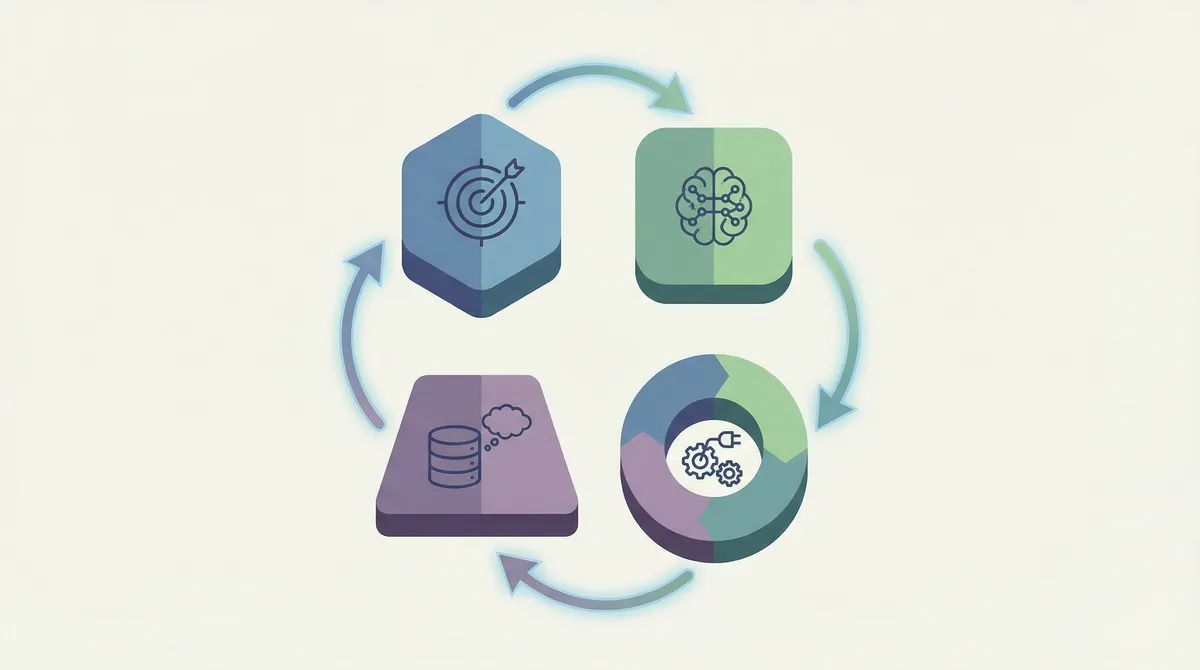
An AI agent is an autonomous software system that can observe its environment, reason about goals, and take actions across tools and data to complete tasks with limited human input. Instead of acting like a simple chatbot, it can move through a series of steps on your behalf. It uses tools and data in much the same way a person would switch between apps on a laptop to get something done.
Instead of just replying to a single prompt, these systems can:
Understand a goal
“Clean up my sales pipeline and email everyone who hasn’t replied in 7 days.”
Plan steps
Query the CRM, group contacts, draft emails, and update statuses.
Call tools and APIs
Connect to email, calendar, project boards, or internal apps to act.
Use memory
Remember past runs, user preferences, and previous errors.
Ask for help when needed
Request clarification or escalate to a human when things look risky.
Here’s a simple way to think about it:
Traditional chatbot | AI agent (2026) |
|---|---|
Answers one question at a time | Handles full workflows made of many steps |
Mostly reacts to user prompts | Can run in the background on triggers or schedules |
Limited access to tools | Connects to email, CRM, code, databases, and more |
No long-term memory | Uses memory stores to remember tasks, users, and prior outcomes |
In short: an AI agent is like a digital coworker. It still needs limits, supervision, and a clear job description, but it can now handle entire processes—not just single replies.
Comprehensive Deep-Dive
The AI Agent Stack in 2026
To understand autonomous AI in 2026, you need to look at the full stack that makes these systems work—not just the model. That stack includes the model itself, the tools it can use, the memory it relies on, and the runtime that glues everything together. When you see those layers side by side, the buzzwords start to turn into concrete design choices you can actually work with.
Foundation models as the brain
Most production agents today are powered by large language models (LLMs) such as GPT, Gemini, Claude, or open-source families like Llama. These models interpret instructions, plan next steps, and decide which tools to call.
Key abilities on first use:
Natural language understanding – interpreting messy, real-world instructions
Planning and reasoning – turning goals into ordered steps
Code generation – writing small scripts and glue logic to connect services
Without this reasoning engine, you’re back to rigid rules and simple triggers.
Tools, APIs, and environments
Modern agents are useful because they can interact with real systems:
Email and calendar
CRM and ticketing
Cloud storage and documents
Internal APIs and databases
Microsoft and other vendors highlight that business-focused agents increasingly run across multiple systems at once, not just a single app.
Memory and context
Short prompts are not enough for complex work. Autonomous systems typically use:
Short-term context – the current conversation or task history
Long-term memory – stored in vector databases or traditional tables
Profile data – preferences, access levels, and past decisions
This lets them pick up a recurring task (like weekly reporting) without re-explaining everything each time.
Orchestration, safety, and governance
Vendors and consulting firms like McKinsey and IBM emphasize that most of the real engineering effort in agent projects goes into orchestration and governance, not just prompts.
Common orchestration responsibilities:
Deciding which model or tool to call next
Handling failures, retries, and timeouts
Enforcing business rules and access control
Logging every input, decision, and action
From a business perspective, this matters because the risk is rarely in a single response; it’s in what the system can do across many systems over time.
Adoption and ROI: what the data says
Recent research helps quantify the trend:
The AI agents market is estimated at $7.63B in 2025, projected to reach $50.31B by 2030 with a 45.8% CAGR.
One 2025 study found 79% of organizations report some AI agent adoption, with 19% operating at scale and an average ROI of 171% on agent projects.
Gartner and others expect that by 2028, about 15% of day-to-day work decisions will be made autonomously by such systems.
Google Cloud cites research showing 74% of executives see positive ROI from agent deployments within the first year, when implementation is done thoughtfully.
These numbers show real momentum, but they also mask a key detail: maturity levels vary a lot. McKinsey reports that almost all companies invest in AI, but only about 1% feel they are truly mature in how they use it.
https://www.microsoft.com/en-us/worklab/ai-at-work-what-are-agents-how-do-they-help-businesses — Microsoft WorkLab on agents in business
https://www.mckinsey.com/featured-insights/mckinsey-explainers/what-is-an-ai-agent — McKinsey explainer on AI agents
https://cloud.google.com/discover/what-are-ai-agents — Google Cloud guide to AI agents
/how-it-works — see how RSOC automation fits into your content stack
How to Start Using AI Agents Safely
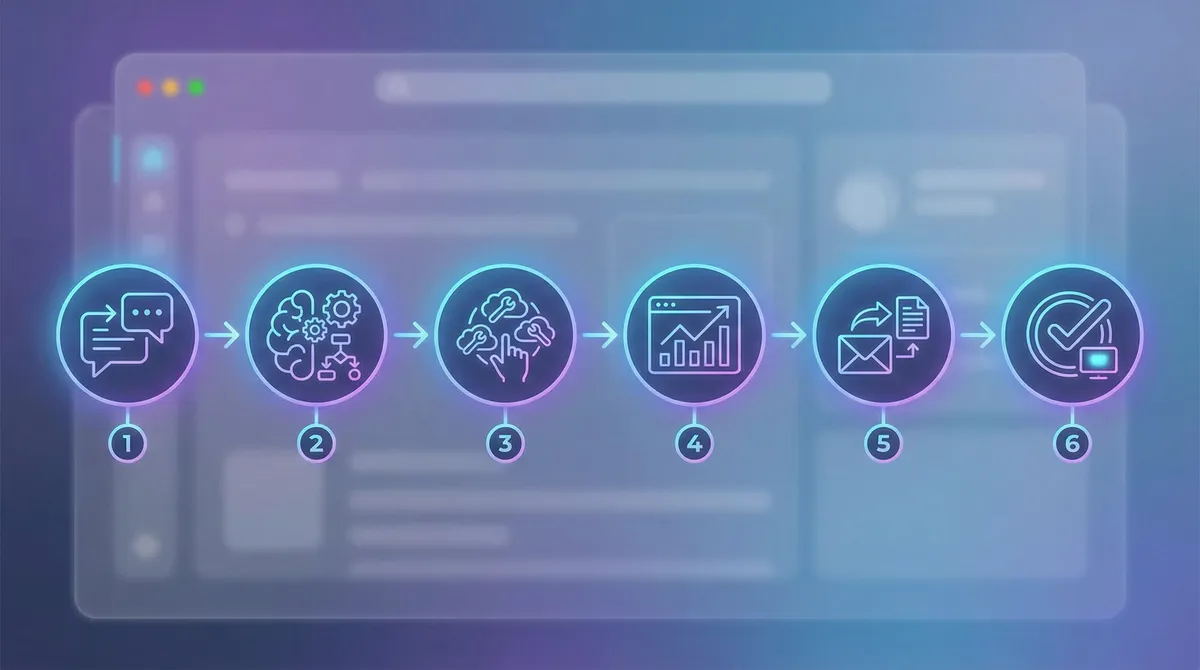
You don’t need to build a full agent platform from scratch. Here’s a practical sequence for 2026. Think of it as a simple checklist you can follow even if you are not a machine learning expert.
Step 1: Pick one narrow, low-risk use case
Start with something boring and repeatable, for example:
Weekly analytics summaries
Drafting customer follow-up emails
Updating tasks after support tickets close
Avoid money movement or high-stakes decisions at the beginning.
Pro Tip: If a mistake would cost real money or damage trust, keep a human approval step in place.
Step 2: Choose your platform and model
Most teams will either:
Use a SaaS platform (like Microsoft, Google, or a vertical tool) with built-in agents, or
Build a light custom agent layer using an LLM API plus an orchestration framework.
Check:
Data residency and compliance requirements
Security and access control features
Logging and monitoring capabilities
Step 3: Map the workflow step by step
Write the workflow in plain language:
When a trigger happens (e.g., “new support ticket closed”)
The system gathers context (ticket details, customer tier)
It plans the steps (read notes, update CRM, draft follow-up)
It calls tools and writes results
It optionally asks a human to review
Turn this into a diagram and then into prompts plus tool definitions.
Pro Tip: Keep the first version as simple as possible. Add more tools only after you trust the basics.
Step 4: Define permissions and guardrails
Before giving an agent access to production systems, decide:
Which tools it can call and with what scopes
Which fields or records it can read and write
When it must request explicit approval
Some teams now treat agents like employees with their own role and permissions, managed through IT policies.
Step 5: Add structured logging and review
Set up logs for:
Prompts and system messages
Tool calls and their inputs/outputs
Final actions (emails sent, records updated, files changed)
Use these logs to:
Catch bugs and unsafe behavior early
Improve prompts and policies
Train teams on how to design better tasks
Pro Tip: Schedule a weekly “agent review” session where you sample runs, score outcomes, and collect feedback from users.
Step 6: Gradually increase autonomy
Once you have evidence that the system behaves well:
Expand from draft-only to draft + auto-send for safe segments
Add more tools (e.g., calendar, internal APIs)
Move from single-step tasks to multi-step missions
The goal is managed autonomy: your AI coworker does real work, but within clear, monitored boundaries.
/blog-monetization — learn how automated content workflows feed into higher earnings]
Expert Analysis
AI Agents vs Traditional Automation
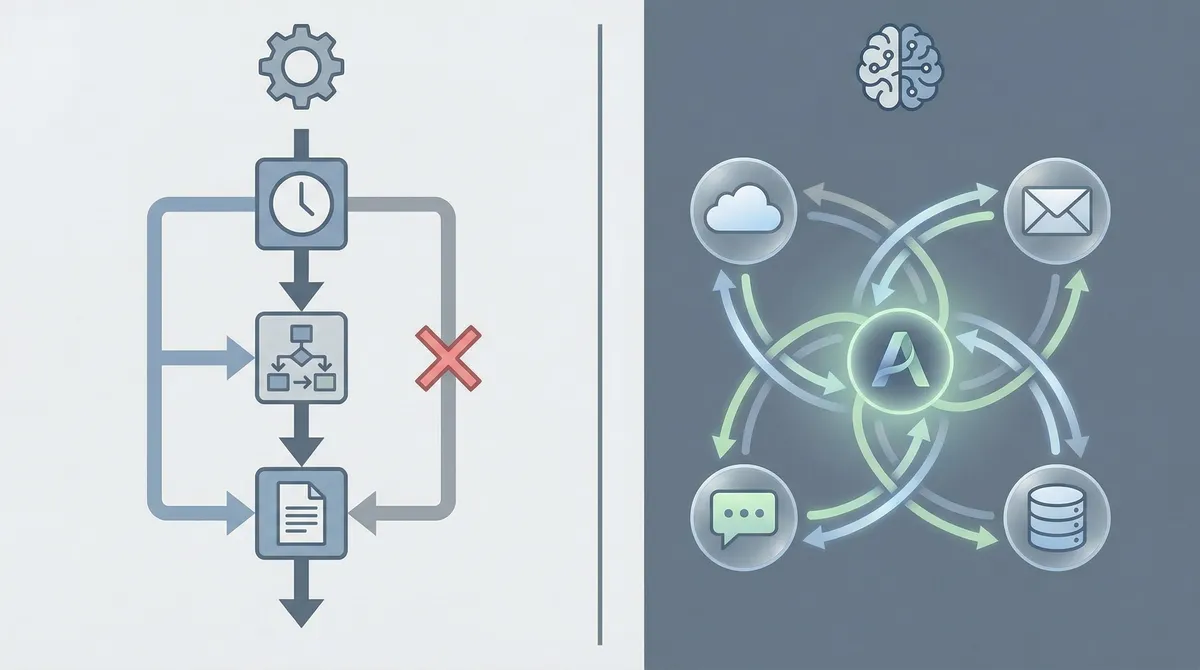
AI agents are often compared to traditional automation tools like scripts or low-code workflows. Here’s how they stack up. Looking at them side by side makes it easier to decide where each approach fits best.
Advantages
✅ Handles messy, real-world inputs
Traditional tools break when inputs change. Modern agents can adapt to slightly different phrasing, formats, or sources.
✅ Works across many apps at once
They can coordinate email, CRM, documents, and code repositories in one continuous flow, instead of siloed automations.
✅ Learns from feedback
Some systems update prompts, routing, or policies based on user ratings and outcomes over time.
✅ Enables “digital coworker” patterns
Agents can stay assigned to a team or function, handling a steady stream of similar tasks like renewals, triage, or reporting.
✅ Higher potential ROI when used well
Studies report triple-digit ROI on agent projects when they are tightly scoped and connected to high-value workflows.
Disadvantages
❌ Harder to predict every behavior
Because agents reason in natural language and work across tools, debugging requires better logging and review than simple scripts.
❌ Risk of over-automation
Teams sometimes hand off too much, too early. This leads to wrong emails, bad decisions, or confusing customer experiences.
❌ Skills and governance gaps
Research shows that leadership and process design lag behind enthusiasm. Many companies invest in AI but do not yet have mature practices for safe deployment.
A good rule: use agents where context matters and rules would be brittle, but keep humans involved where judgment, empathy, or accountability are central.
Common Mistakes When Rolling Out AI Agents
Even experienced teams hit the same patterns of mistakes. Here’s what to watch for. By spotting these early, you can skip months of trial and error that other teams have already gone through.
Mistake 1: Starting with the hardest, riskiest use case
❌ Many teams try to start with complex, high-impact projects like fully automated customer support or financial decisions.
✅ Instead, begin with low-risk, high-volume work: internal summaries, drafts, and admin support. This builds trust, training data, and internal playbooks.
Mistake 2: Giving agents broad access with no guardrails
❌ It’s tempting to connect an agent to “everything” so it can be helpful. That’s also how you create incidents.
✅ Treat each agent like a new hire: grant minimum required access, review activity logs, and adjust over time.
Mistake 3: Ignoring explainability and observability
❌ If no one can see why the system took an action, it becomes impossible to debug issues or satisfy compliance teams.
✅ Log prompts, tool calls, and results clearly. Some teams now design “explanation views” in their dashboards so humans can understand what happened in one glance.
Mistake 4: Treating this as “set and forget” automation
❌ AI projects stall when teams treat agents like static scripts. Models change, tools change, and business rules change.
✅ Plan for ongoing tuning: owners, review rituals, and versioning. Think of agents as evolving products, not a one-time project.
/glossary — look up key AI and marketing terms used in this guide]
https://www.ibm.com/think/ai-agents — IBM 2025 guide to AI agents
Conclusion & FAQ
How to Think About AI Agents in 2026
AI agents are not science fiction or just a buzzword. In 2026, they are practical systems that can observe, plan, and act across your tools to handle real work—as long as you give them a clear job, the right access, and proper supervision. Used thoughtfully, they become part of your normal workflow rather than a separate experimental project.
Start small with narrow workflows, log everything, and treat these systems like new teammates that still need onboarding, training, and review. If you do that, you can capture the upside of autonomous AI without losing control. Over time, you can decide how much responsibility to give them and which new tasks to hand over.
/make-money-online — explore how automation and AI support income-focused projects]

AI Agents & Autonomous AI in 2026
What is an AI agent in simple terms?
An AI agent is a software system that can understand goals, decide what to do next, and take actions across tools or data sources with limited human guidance. Think of it as a digital coworker that can carry out tasks instead of just answering one-off questions. It sits between you and your apps, taking over the routine steps you would normally perform by hand.
How are AI agents different from normal chatbots?
Basic chatbots respond to pre-set triggers or simple prompts. AI agents, by contrast, can plan multi-step workflows, call APIs, update records, and run for extended periods based on triggers or schedules. They can also ask for help or escalate to humans when they hit uncertainty. This makes them suitable for real work rather than just simple conversations.
What are the main types of AI agents?
Writers classify several types, but in practice you’ll mostly see:
Task agents handling focused workflows like lead follow-up or report creation
Workspace agents that live inside tools like email, docs, or project boards
Platform agents that orchestrate many services across your stack
Under the hood you may also hear about reactive agents, goal-driven planners, and multi-agent systems that collaborate. These labels mostly describe how the system makes decisions and how many components are involved.
What are some real-world examples today?
Common 2025–2026 examples include:
Customer support helpers that triage tickets and draft replies
Sales assistants that update CRM records and chase follow-ups
Developer companions that write boilerplate code and open pull requests
Internal operations bots that reconcile data between tools
Vendors such as Microsoft, Google, AWS, and many startups now provide agent features inside their platforms. You will often see them branded as copilots, assistants, or workbots rather than just “agents.”
Are AI agents safe to use in production?
They can be, but safety depends on design. You need:
Strict permissions on what the system can read and write
Clear approval flows for sensitive actions
Logging and monitoring for every decision and tool call
Regular review of sample runs with humans
When you combine these safeguards, agents are no more mysterious than other powerful internal tools, and problems are easier to trace and fix.
Will AI agents replace human jobs?
Most research suggests agents will change jobs more than they outright replace them, especially in knowledge work. In many companies, agents handle repetitive, structured tasks while humans focus on judgment, relationships, and creative work. At the same time, there are real stories of failed attempts to replace entire teams, followed by rehiring. This is why many experts frame agents as “new teammates” rather than full substitutes.
How can I get started with AI agents in my business?
Begin with one safe, well-defined problem—like weekly reporting or low-risk email drafts. Choose a platform that fits your compliance needs, map the workflow step by step, define guardrails, and keep humans in the loop at first. Once you see reliable results and good feedback, you can increase autonomy and expand to more valuable use cases. This gradual approach keeps risk low while still letting you learn quickly.
/work-from-home — see how remote workers use automation and AI to scale their time
https://www.conductor.com/academy/ai-agent/ — Conductor academy guide on AI agents
Frequently Asked Questions
You’ll learn what AI agents are, how they work, where they are delivering real value, and how to build or deploy them safely in your own workflows.
Never Miss an Update
Join thousands of readers getting the latest insights on technology, business, and digital marketing.