How Small Businesses and Freelancers Can Use AI to Grow
Discover how small businesses and freelancers can harness AI tools to save time, boost productivity, streamline tasks, and grow their business faster.
Naeim Ahmed

Introduction & Core Answer Why AI Matters for Small Businesses and Freelancers Right Now Running a small business or working as a freelancer often means taking on every role at once — marketer, customer support rep, book...
Too long? Ask AI to summarize
Get a quick summary of this article using your favorite AI assistant
Introduction & Core Answer
Why AI Matters for Small Businesses and Freelancers Right Now
Running a small business or working as a freelancer often means taking on every role at once — marketer, customer support rep, bookkeeper, copywriter, and project manager. It’s easy to feel like you’re always chasing deadlines instead of working on real growth.
Recent studies show a massive shift: almost every U.S. small business now uses at least one AI-powered tool. A 2025 U.S. Chamber of Commerce–AP survey reported that AI helps owners save time, improve decision-making, and support business expansion.
Freelancers are quickly catching up, with roughly 20% regularly using generative-AI tools — a number rising every year.
This guide explains AI Agents Explained: Guide to Autonomous AI in 2026, which workflows bring the fastest results, and how to launch a stress-free 30-day pilot to test everything.
AI Adoption Trends for Small Businesses (2025) — useaiforbusiness.com research summary
How AI Helps You Grow Fast
The fastest way to use AI for growth is to automate one repeatable task you do every week — such as writing content, replying to common questions, or preparing proposals — and test a focused 30-day pilot.
A practical approach looks like this:
Pick one time-consuming workflow.
Choose a simple AI tool to assist with that task.
Track hours saved and improvements in customer engagement.
Scale the workflows that show real results.
This method works because it avoids overwhelm, keeps costs low, and delivers compounding benefits as your workflows improve.Thryv 2025 survey — AI Adoption Among Small Businesses Surges 41%
Deep Dive Into AI for Business Growth
How AI Actually Helps Your Business Behind the Scenes
AI Adoption Is Growing Fast
A wave of small businesses and freelancers is turning to AI for efficiency. Key findings include:
98% of U.S. small businesses now use at least one AI-enabled tool (AP / U.S. Chamber, 2024–2025).
71% of organizations reported using generative AI by late 2025, according to industry surveys.
High-performing companies that invested early saw faster growth and higher productivity, based on McKinsey’s 2025 AI analysis.
Many small companies report saving 20+ hours every month through simple automations.
Freelancers using AI say it helps deliver work faster without increasing workload.
These numbers show that AI has moved from “optional” to “expected.” Customers now assume quicker replies, more personalized content, and smoother service.
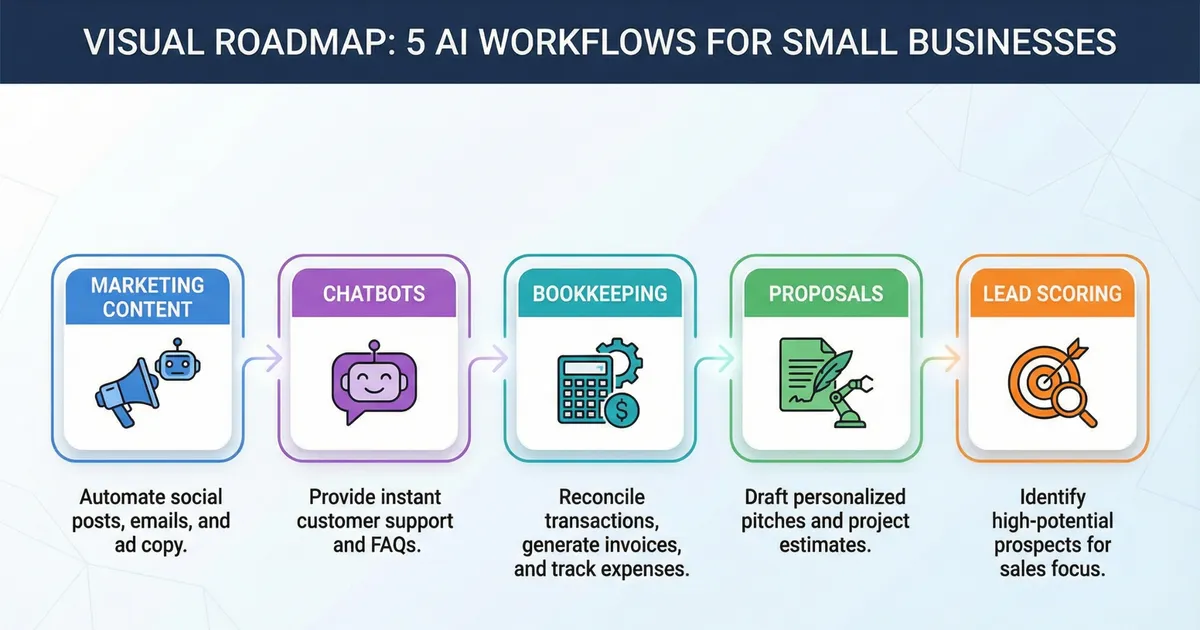
Where AI Delivers Quick Wins
Content creation & marketing — Generate blog outlines, email drafts, and content ideas in minutes.
Customer support automation — Chatbots handle simple questions instantly, improving response time.
Proposal & document creation — AI fills templates based on project details, reducing preparation time.
Invoicing & bookkeeping — Automate categorization, error detection, and monthly reconciliation.
Lead scoring & personalization — AI highlights the most promising customers based on patterns in your data.
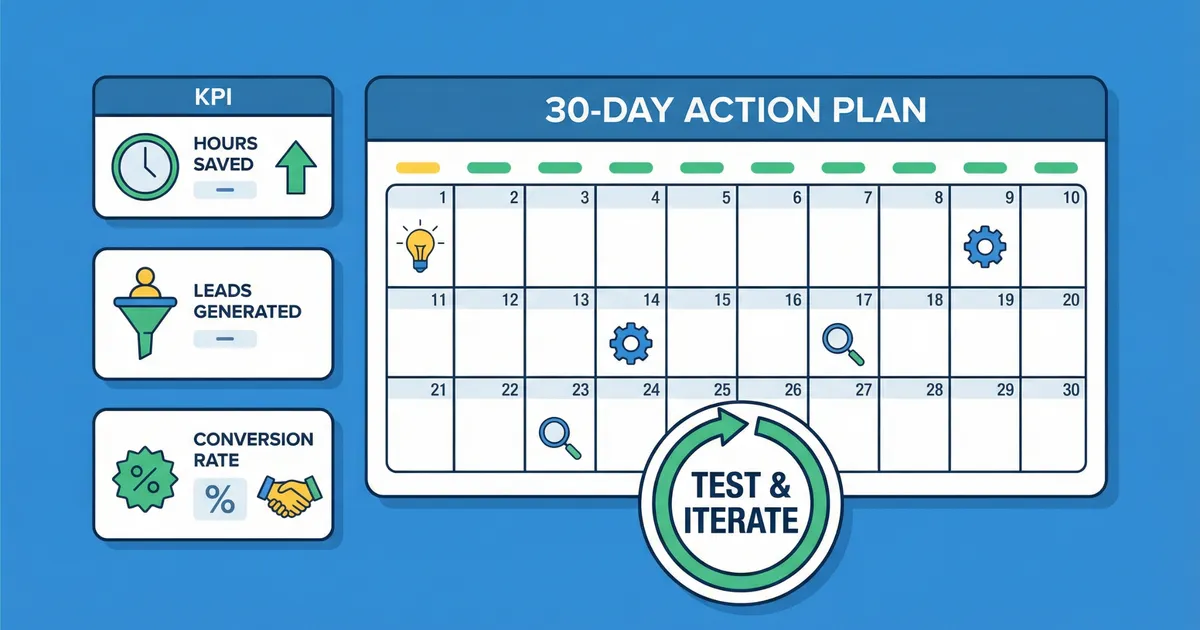
A Simple 30-Day Plan to Start Using AI
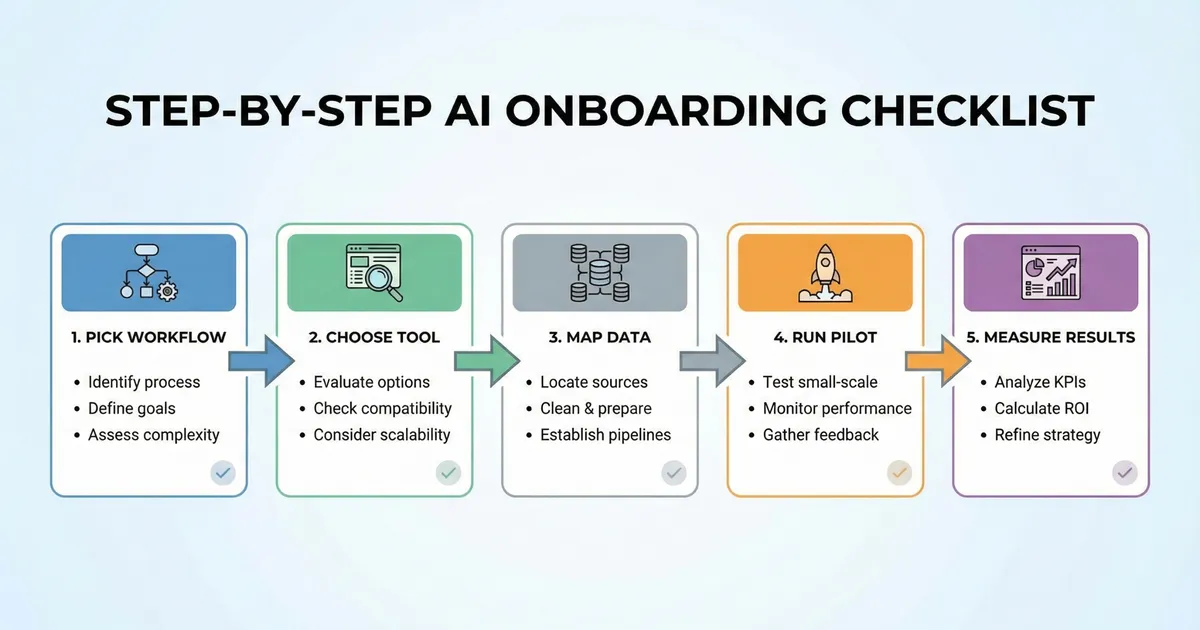
Follow this step-by-step plan to test AI with minimal cost and clear results.
1. Choose a Workflow to Improve
Pick a task that drains your time — content writing, customer replies, expense tracking, or proposal creation.
2. Define Clear KPIs
Track metrics such as response time, hours saved per week, monthly leads, or conversion rate. This gives you a baseline.
3. Pick a Tool With a Free Tier
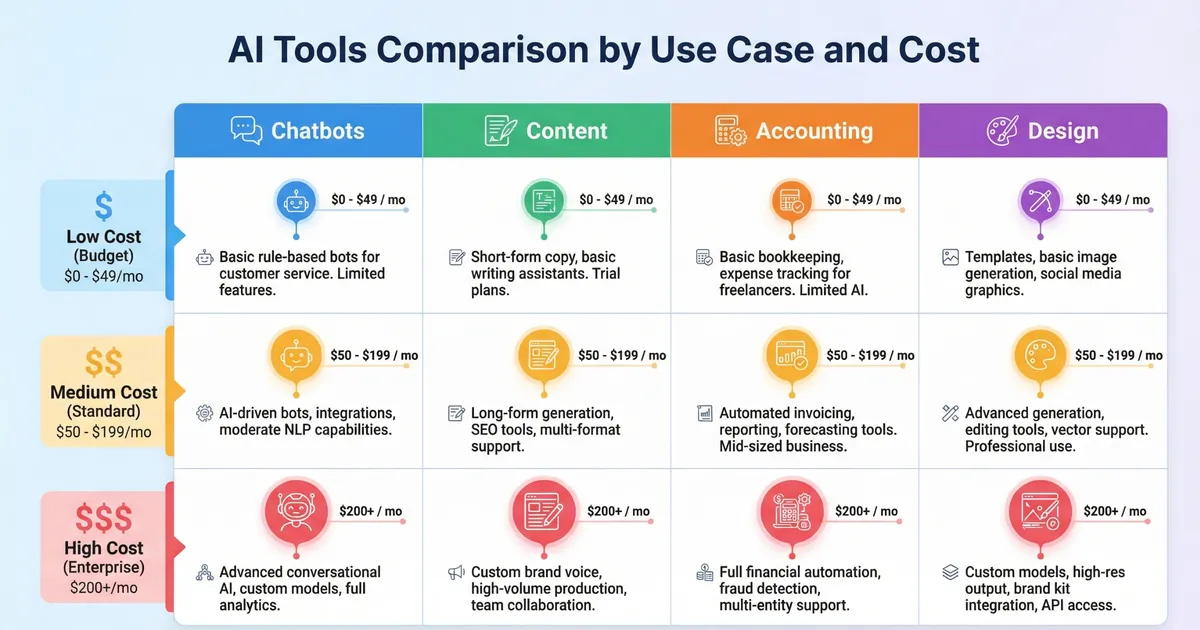
Look for tools that offer trials or low-cost plans. Many content AIs, chatbots, and bookkeeping assistants cost $0–$30/month during testing.
4. Organize Your Inputs
Upload templates, past proposals, FAQs, or example emails. Good input makes output far better.
5. Run the Pilot for 30 Days
Use the AI tool every day for the selected workflow. Take short notes on what worked and what needs improvement.
6. Review the Impact
Compare KPIs to your baseline. If the workflow saves time or improves conversion, expand it. If not, adjust and retest.
Pro Tip: Ask customers to rate their experience with your AI-assisted replies — it’s an easy way to track quality.
Expert-Level Insights
The Benefits and Limitations of Using AI
Advantages (With Explanations)
✅ Frees up time — Automating routine tasks can save multiple hours each week.
✅ Affordable to scale — Small businesses can grow without needing to hire for every new task.
✅ Faster marketing production — Create more content variations quickly for better testing.
✅ Stronger lead targeting — AI can prioritize leads more accurately.
✅ Better data visibility — Tools summarize insights and highlight important details.
Limitations (With Solutions)
❌ AI can make factual mistakes
✔ Solution: Always review and edit outputs.
❌ Teams may struggle to learn new tools
✔ Solution: Start with simple automations and follow vendor tutorials.
❌ Privacy concerns depending on the tool
✔ Solution: Avoid sharing sensitive details and choose reputable vendors.
Common Mistakes Small Businesses and Freelancers Make When Using AI
Mistake #1: Expecting AI to Instantly Fix the Business
The Problem:
Many owners start using AI expecting immediate revenue growth without changing workflows. When results don’t appear instantly, they abandon the tools too early.
Why It Hurts:
AI improves processes — not broken strategies. Without clear goals or KPIs, results feel invisible.
Do This Instead:
Use AI to optimize existing workflows first, such as customer replies, content drafts, or invoicing. Measure time saved and quality improvements before expecting revenue impact.
Mistake #2: Automating Too Many Tasks at Once
The Problem:
Trying to use AI for marketing, support, finance, and sales simultaneously creates confusion and poor adoption.
Why It Hurts:
Teams feel overwhelmed, tools overlap, and nothing gets used consistently.
Do This Instead:
Start with one repeatable workflow and run a 30-day pilot. Once it works, scale gradually.
Mistake #3: Publishing AI-Generated Content Without Human Review
The Problem:
Some businesses copy-paste AI outputs directly into blogs, emails, or proposals.
Why It Hurts:
AI can produce factual errors, generic phrasing, or inconsistent brand tone — which damages trust.
Do This Instead:
Use AI for drafts and structure, then edit for accuracy, personality, and brand voice before publishing.
Mistake #4: Ignoring Costs, Limits, and ROI
The Problem:
Subscribing to multiple AI tools without tracking usage or results leads to unnecessary expenses.
Why It Hurts:
Small costs add up, especially when tools overlap or aren’t fully used.
Do This Instead:
Track:
Hours saved per month
Output quality improvements
Cost per workflow
Cancel tools that don’t deliver measurable value.
Mistake #5: Sharing Sensitive Data Too Early
The Problem:
During testing, some users upload real customer data, financial records, or confidential documents.
Why It Hurts:
Not all tools handle data securely, increasing privacy and compliance risks.
Do This Instead:
Use sanitized examples during pilots. Review privacy policies and enable security settings before using real data.
Conclusion & FAQ
Final Thoughts: What You Should Do Next
AI is no longer a “big business” tool. With one simple workflow and a 30-day pilot, you can test real improvements in time savings and customer satisfaction. Start small, measure your results, and scale only what works.
If you want guidance on structuring your content and workflows, visit: 5 AI Tools That Will Replace Your Virtual Assistant in 2025
Frequently Asked Questions (FAQ)
How much does it cost to start using AI?
Many tools offer free tiers or low-cost plans. You can start for $0–$30/month before upgrading.
Is AI replacing small business workers?
Most owners use AI to support their teams, not replace them. AI helps with repetitive tasks while humans handle strategy and quality control.
Which AI workflow gives the fastest return?
Chatbots, proposal drafting, and content batching are usually the quickest to show results.
Are AI tools safe for customer data?
Security depends on the vendor. Always review data policies and avoid sharing sensitive information during testing.
How can freelancers use AI without losing originality?
Use AI for outlines or first drafts, then refine the content with your personal tone and expertise.
Frequently Asked Questions
Use AI for outlines or first drafts, then refine the content with your personal tone and expertise.
Never Miss an Update
Join thousands of readers getting the latest insights on technology, business, and digital marketing.